
Gaming PCs Sydney & Australia-Wide – Built for Performance | CAA Computers
Experience extreme gaming performance with custom-built Gaming PCs designed for 1440p, 4K, esports, streaming, and VR. At CAA Computers, every system is hand-built, benchmarked, and tuned for maximum FPS, ultra-low temps, and long-term reliability. Whether you need a budget gaming PC, a mid-range 1440p beast, or a liquid-cooled 4K monster, we build gaming desktops that outperform major brands — without the prebuilt “bloatware”, cheap parts, or thermal issues.
- Built in Sydney
- 12-Month Warranty
- Stress Tested & Benchmarked
- Fast Dispatch Australia-Wide
- Real Local Support
Featured Gaming Pcs
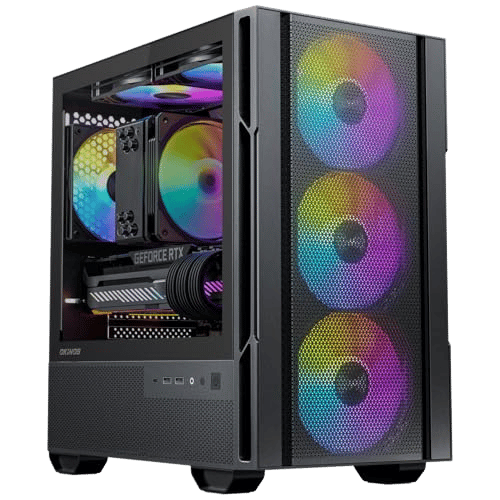
CAA Starter Gamer – $1,299 (Save $200)
Ryzen 5 5600x | 16 Gb Ram | 500GB NVME SSD | RTX 5060 8GB VRAM | RGB Light Okinos Case | 650w 80+ Bronze PSU
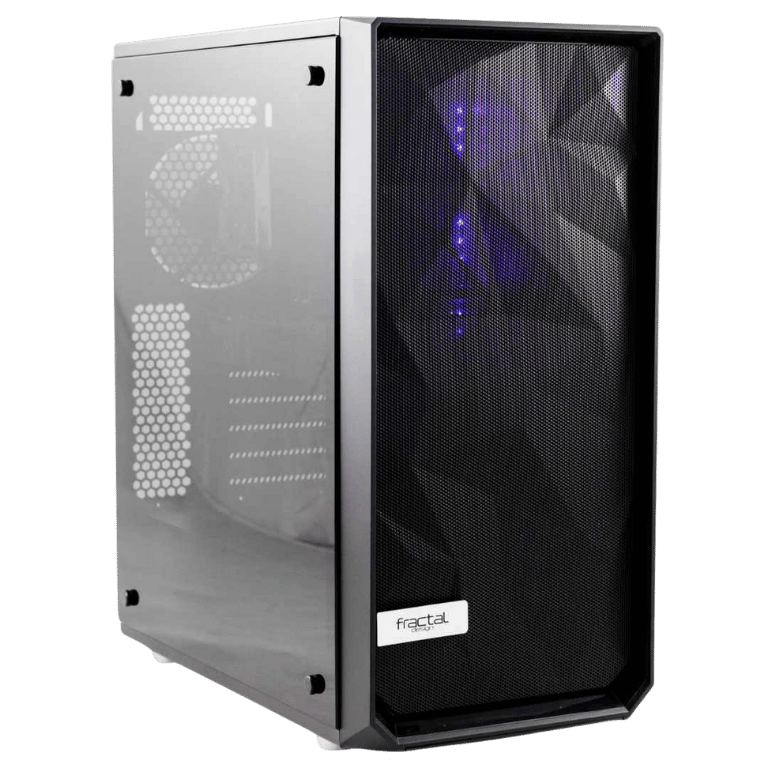
Mid-Tier AMD Monster – $3199 (save $900)
Ryzen 7 7800x3D | 32 Gb Ram 6000Mhz | 1tB NVME SSD | 7800 XT 16GB VRAM | Fractal Design Meshify | 850w 80+ Gold PSU

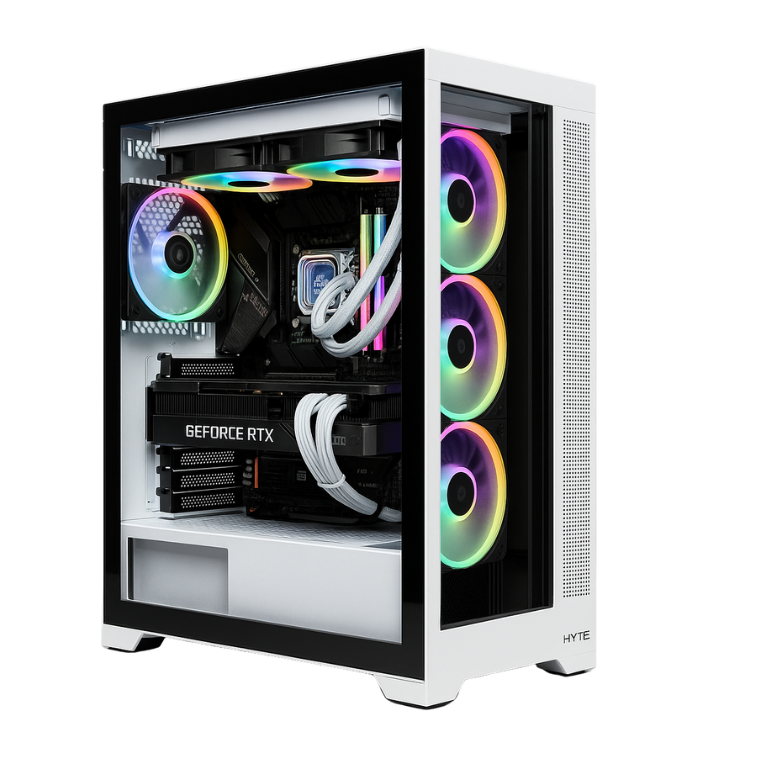
Strawberry Nova – $5,099 (Save $900)
Intel Core 7 Ultra | 64 Gb Ram | 2TB NVME SSD | RTX 5080 16GB VRAM | Hyette y70 Strawberry | 850w 80+ Gold PSU | Free Razer kraken kitty v2
Browse Our Gaming PCs Built For Performance
Experience High FPS and unbeatable reliability with gaming pcs designed for Esports; 1080p, 1440p, 4k, streaming and VR.
- Students
- First-time gamers
- Budget builds under $1500
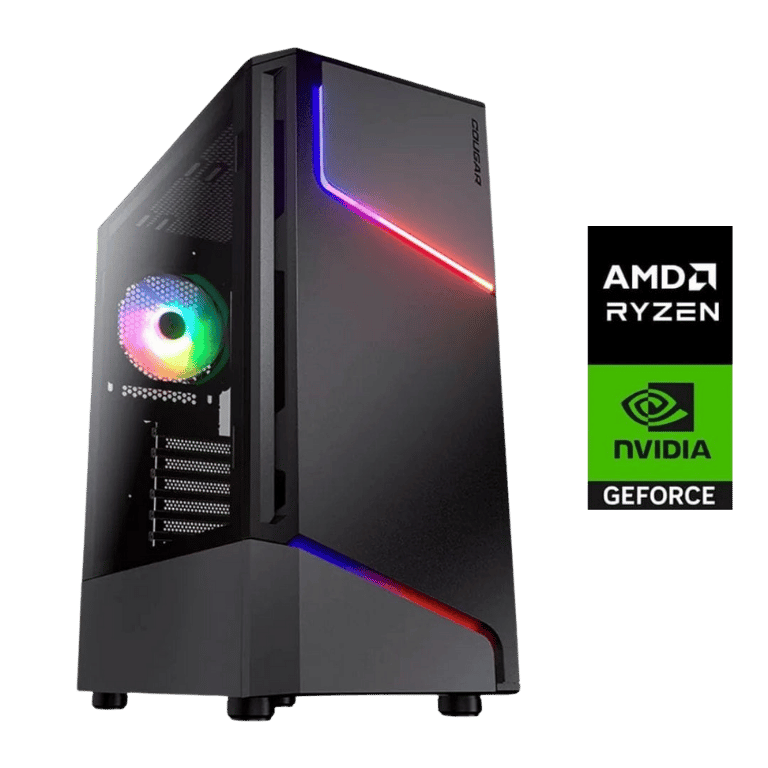
Typical Specs Include:
Ryzen 5 / Intel i5
RTX 3050 / RTX 4060 / RTX 5060
16GB DDR5 RAM
500GB NVMe SSD
High-airflow RGB case
Performance:
Valorant: 200–300 FPS
Fortnite: 144–240 FPS
CS2: 250+ FPS
The most popular tier build for immersive 1440p gaming at ultra settings.
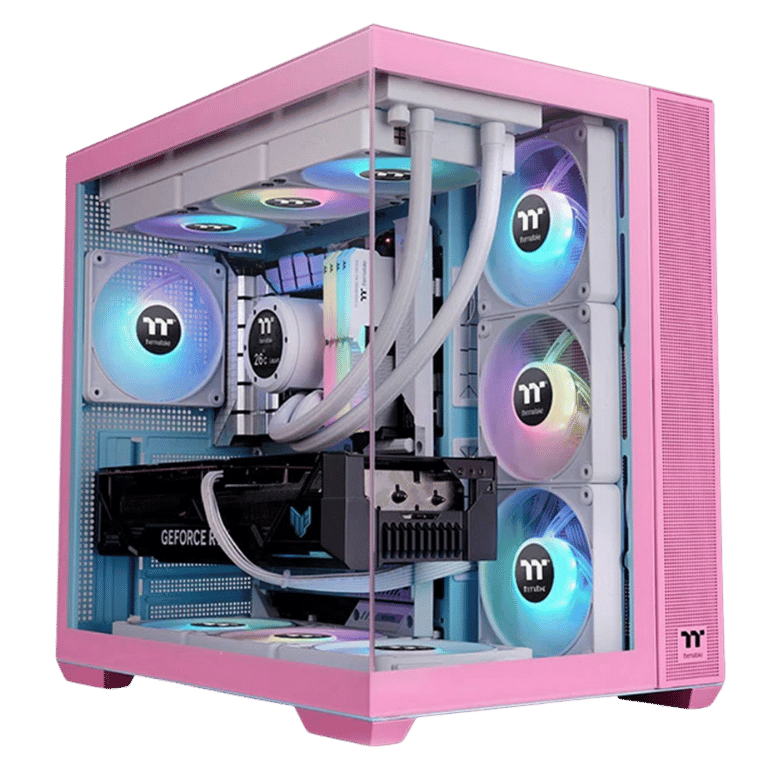
Typical Specs Include:
Intel i7 / Ryzen 7
RTX 5070 / AMD 9070XT / RTX 5070 Ti
32GB DDR5
1TB NVMe SSD
Hybrid air/liquid cooling
Performance:
Warzone 1440p: 120–160 FPS
Cyberpunk 1440p: 80–110 FPS (DLSS)
Apex: 200+ FPS
- 4K monitors
- AAA Ultra settings
- Influencers, streamers
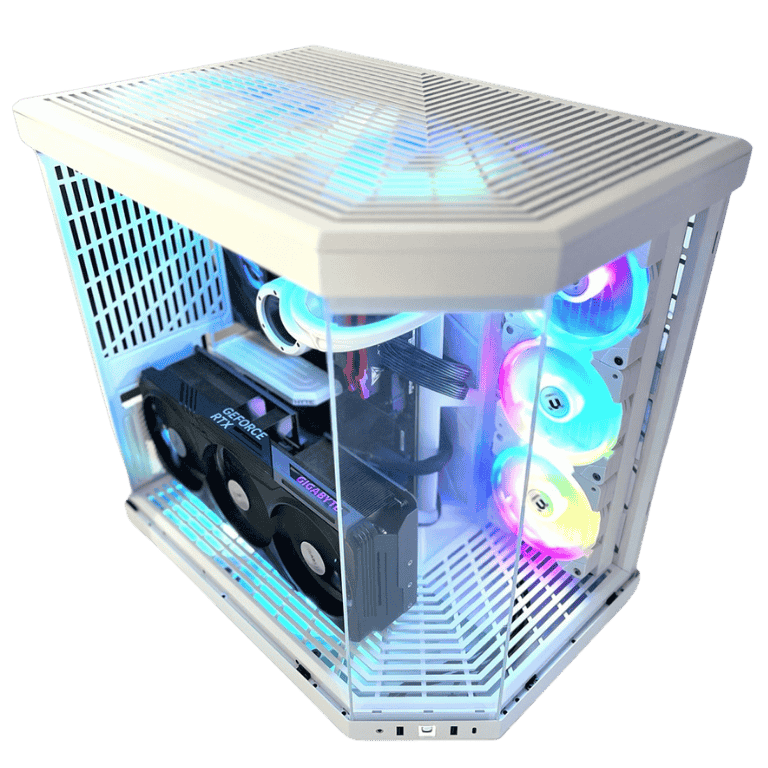
Typical Specs Include:
Intel i9 / Ryzen 9
RTX 5080 / AMD 7900 XTX
64GB DDR5
NVME M.2 PCIe Gen 5 SSD
360mm liquid cooling
High-end airflow case / tempered glass
Performance:
COD Black Ops 7 4k: 117 FPS
Starfield 4K ultra settings: 80–120 FPS
Cyberpunk 4K RT Overdrive: 60–90 FPS
Flight Simulator ultra settings: 80–100 FPS
- 8K gaming
- AI workloads
- Multi-monitor setups
- Heavy streaming + editing + 3D creation
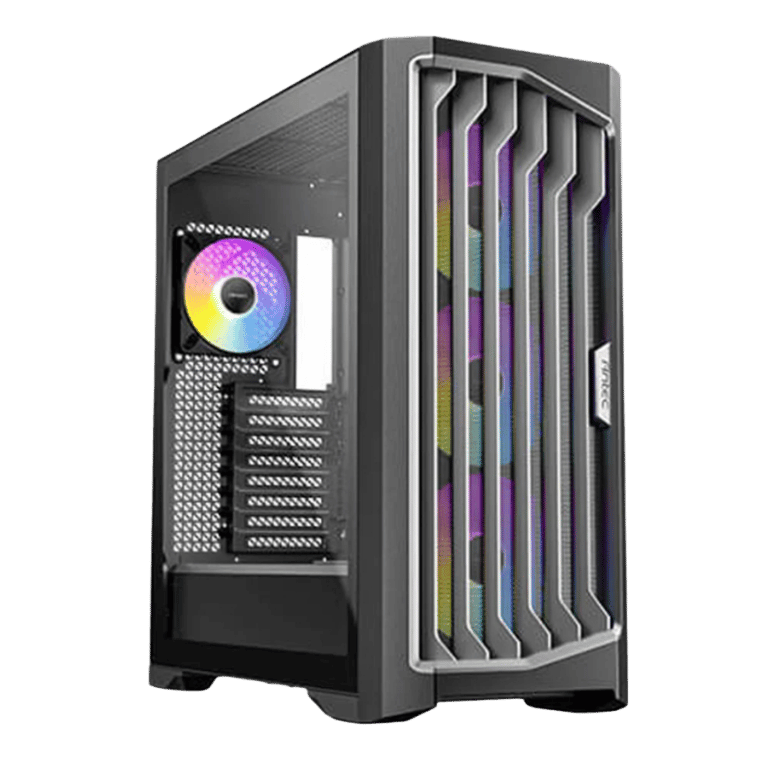
Typical Specs Include:
Intel Core 9 Ultra / Threadripper
RTX 5090
192GB DDR5
Up to 8TB Gen 5 SSD
Custom water-cooling loop
Showcase premium chassis
Performance:
Cyberpunk 8K: Smooth with DLSS
VR Ultra: No bottlenecks
Unreal Engine, Blender, Resolve: Instant rendering
Why Choose CAA Gaming PCs?
Premium, Non-OEM Components (No Cheap Parts)
We NEVER use:
✘ OEM motherboards
✘ low-quality PSUs
✘ generic RAM
✘ cheap SSDs
✘ locked-down BIOS prebuilts
Only premium brands:
ASUS ROG • MSI • Gigabyte Aorus • Corsair • NZXT • Lian Li • Samsung • Crucial • Be Quiet
Expert Assembly & Benchmark Tuning
Every gaming PC includes:
Full thermal optimisation
RAM XMP tuning
GPU undervolt or curve tune
3DMark benchmarks
Warzone / Fortnite / Cyberpunk FPS validation
Cable management suitable for airflow
Local Support You Can Trust
We offer what big brands don’t:
Real technicians
Real troubleshooting
Real warranty support
Fast response
No offshore support centres
Gaming PC Performance Tiers
1080p Gaming PC – Best for Esports
Ideal for Fortnite, Valorant, CS2, Overwatch, and Minecraft.
Recommended Specs: Ryzen 5 / i5 + RTX 4060 or 5060.
1440p Gaming PC – The Sweet Spot
Perfect for Warzone, Apex Legends, GTA V, Elden Ring.
Recommended Specs: Ryzen 7 / i7 + RTX 4070/5070 Ti.
4K Gaming PC – Ultra Settings
For AAA titles and stunning cinematic visuals.
Recommended Specs: i9 / Ryzen 9 + RTX 4080/5080/4090.
Streaming PC – Gaming + OBS Workloads
GPU-accelerated builds for 720p/1080p Twitch or TikTok streaming.
VR-Ready Gaming PCs
Stable, low-latency setups compatible with Meta, Index, and Pico VR.

Optional Add-Ons
Windows optimisation
Zero bloatware setup
FPS optimisation packages
Cable sleeving
Wi-Fi 7 card upgrades
RGB fans & custom lighting
Water-cooling upgrades
Gaming PC FAQ
1. Should I buy a gaming PC or custom build one?
Custom PCs offer better performance, cooling, and upgrades. Prebuilts often use cheap internal components.
2. What is the best gaming PC for 1440p?
We recommend RTX 4070 Ti / RTX 5070 Ti builds for 1440p ultra gaming.
3. What FPS will I get in Warzone / Fortnite / GTA V?
FPS depends on GPU tier — see charts above.
4. Do you ship gaming PCs Australia-wide?
Yes. Sydney, Melbourne, Brisbane, Perth, Adelaide & more.
5. How long does a build take?
Most builds are completed in 3–7 days.
Build Your Gaming PC Today
Whether you want a budget esports PC or a fully custom 4K water-cooled monster, CAA Computers will build the perfect system for your needs.
- Built in Sydney
- 12-month warranty
- Local support
- Australia-wide delivery
View Gaming PCs
Build Your Custom PC
Contact Us for a Quote
Give us a call
0459 681 726
Read More
1. What Makes a High-Performance Gaming PC in 2025?
A high-performance gaming PC isn’t just about pairing a good CPU with a strong GPU. Modern games demand balanced systems, fast SSDs, DDR5 memory, advanced power delivery, optimised cooling, and high-bandwidth connections.
The best gaming PCs in Australia today are built around:
PCIe Gen 4 / Gen 5 NVMe SSDs for ultra-fast load times
DDR5 RAM for higher bandwidth in modern engines
RTX 5070 / 5080 / 5090 GPUs for ray tracing and DLSS 3.5
High-core CPUs such as Intel Core Ultra or AMD Ryzen 9
Case airflow optimisation to avoid thermal throttling
Low-latency networking (Wi-Fi 7 + Gigabit LAN)
These upgrades ensure your system stays powerful for years without forced upgrades.
2. Best Gaming PC Specs for Different Games (FPS Breakdown)
Game engines perform differently — here’s what specs work best:
▶ Esports Titles (Valorant, CS2, Fortnite, Apex)
CPU Priority: High single-core performance
Recommended: Core i5 / Ryzen 5 + RTX 4060 / 5060
FPS Expectation: 200–400 FPS on competitive settings
▶ AAA Games (Cyberpunk 2077, Elden Ring, GTA V, Starfield)
CPU Priority: 6–8 performance cores
Recommended: Core i7 / Ryzen 7 + RTX 5070 / 5070 Ti
FPS Expectation:
1080p Ultra: 120–180 FPS
1440p Ultra: 80–140 FPS
▶ 4K Ultra Gaming (Flight Simulator, RDR2, Forza, Witcher 3 Next Gen)
GPU Priority: Massive VRAM + RT Cores
Recommended: Core i9 / Ryzen 9 + RTX 5080 / 5090
FPS Expectation: 60–120 FPS at 4K Ultra
▶ VR Gaming (Half-Life Alyx, iRacing, Sim Racing)
Priority: Consistency, frametime stability
Recommended: RTX 5070 Ti+
3. Why Cheap Prebuilt Gaming PCs Fail in Australia
Many prebuilt systems sold in Australia cut corners to maximise profit:
Weak motherboards with poor VRMs
Unknown-brand power supplies
Slow SATA SSDs instead of NVMe
8GB RAM in single-channel
Locked-down cases with poor airflow
No thermal paste quality control
No stress testing
Misleading “RGB Gaming PC” advertising
This results in:
❌ thermal throttling
❌ sudden shutdowns
❌ poor FPS
❌ loud fans
❌ short lifespan
CAA Computers solves this by using:
✔ name-brand motherboards
✔ 80+ Gold PSUs
✔ DDR5 dual-channel
✔ Gen 4 SSDs
✔ clean cable management
✔ full stress testing
4. Best Graphics Cards for Gaming PCs in 2025
Here’s a performance hierarchy you can use in your accordion:
Top Tier (4K / Max Settings / Ray Tracing)
RTX 5090
RTX 5080
RX 7900 XTX
Mid Tier (1440p / High FPS / Ray Tracing)
RTX 5070 Ti
RTX 5070
RX 7800 XT
Entry Tier (1080p / Esports / Budget Builds)
RTX 4060 / 5060
RX 7600
CTA Keyword Hit:
custom gaming pc builder bankstown kingsgrove sydney
5. How Much Should You Spend on a Gaming PC? (Price Guide AU 2025)
$1200–$1500 — Entry-Level
Perfect for esports & 1080p gaming.
$2000–$2500 — Mid-Range
Perfect for 1440p high refresh gaming.
$3000–$4500 — High-End
Perfect for 1440p Ultra + some 4K.
$5000–$9000+ — Extreme
4K Ultra, VR, AI computing, streaming, multi-tasking etc.
Use this in the hidden accordion — people search “best gaming pc under $2000”.
6. Gaming PC Cooling Explained (Air, AIO, Water Loop)
Cooling is the difference between a stable gaming PC and a stuttering one.
Air Cooling
✔ Affordable
✔ Silent
✔ Great for Ryzen 5 / i5 systems
AIO Liquid Cooling (240mm / 360mm)
✔ Best for Ryzen 7 / i7 / i9
✔ Quiet even under load
✔ Lower CPU temps
Custom Water Cooling
✔ Extreme builds
✔ Perfect for showpieces
✔ Best thermals possible
Hidden SEO term:
liquid cooled gaming pc sydney
7. How We Stress Test Every Gaming PC Before Delivery
We run:
Cinebench R23
3DMark Time Spy / Fire Strike
GPU FurMark test
RAM MemTest86
SSD speed benchmark
Temperature monitoring
Fan curve tuning
BIOS optimisation
Why?
Because a gaming PC SHOULD NOT leave the shop until it’s stable at 100% load.
Hidden SEO phrase:
custom gaming pc testing australia
8. Best Cases for Airflow & Cooling in Gaming PCs
Modern GPUs need serious airflow.
Top airflow cases include:
Lian Li Lancool III
Phanteks NV5
Fractal Pop Air
Thermaltake View 380
Corsair 4000D Airflow
Hazards of cheap cases:
❌ trapped heat
❌ loud fans
❌ GPU throttling
❌ dust build-up
9. Gaming PC Bottlenecks Explained
A system bottleneck happens when one component limits performance.
Common bottlenecks:
Pairing RTX 5070 with a low-tier CPU
Using only 8GB RAM in single-channel
Slow SATA SSDs making games load slowly
Weak power supplies limiting GPU boost
Hidden phrase:
avoid bottlenecks custom gaming pc australia
10. Recommended Gaming PC Upgrades for 2025
The most impactful upgrades:
Add a 2TB NVMe SSD
Upgrade to 32GB DDR5 RAM
Add a 240mm or 360mm AIO cooler
Upgrade to Wi-Fi 6E / Wi-Fi 7 card
Install quality thermal paste
These upgrades can boost FPS and extend lifespan dramatically.
11. How to Choose the Right Gaming Monitor for Your PC
Many people don’t realise their monitor limits FPS.
Pairing Guide
RTX 5060 → 1080p 144Hz
RTX 5070 → 1440p 165Hz
RTX 5080 → 4K 120Hz
RTX 5090 → 4K 165Hz
Hidden SEO target:
best monitor for rtx 5070 / rtx 5080 australia
12. Do You Need Wi-Fi or Ethernet for Gaming?
Latency matters more than speed.
Gigabit LAN → best for competitive play
Wi-Fi 6E → excellent for home gaming
Wi-Fi 7 → lowest ping wireless
Hidden keywords:
low latency gaming pc australia
wifi 7 gaming pc sydney
13. How to Maintain Your Gaming PC (Every 3–6 Months)
Clean dust filters
Reapply thermal paste every 18–24 months
Update GPU drivers
Clear storage and update Windows
Check fan curves
Inspect cables
SEO target:
gaming pc maintenance sydney
14. Why CAA Computers Beats Big Retailers
Big chain prebuilts = low specs, high price.
CAA PCs = premium parts, proper cooling, custom tuning.
Differences:
✔ Name-brand PSUs
✔ Better motherboards
✔ True dual-channel RAM
✔ Real airflow cases
✔ Hand-built
✔ Proper stress testing
✔ No hidden cheap parts
SEO target:
custom gaming pc builder bankstown kingsgrove
15. Where We Deliver Custom Gaming PCs in Australia
We ship Australia-wide including:
Sydney, Bankstown, Canterbury, Revesby, Padstow, Hurstville, Menai, Moorebank, Penshurst, Parramatta, Liverpool, Adelaide, Brisbane, Melbourne, Perth.
SEO targets:
gaming pc sydney,
gaming pc australia,
custom gaming pc bankstown,
gaming desktop kingsgrove.