

Best Custom PC Builder Australia: What Should You Look For?
The best custom PC builder in Australia should do more than assemble expensive parts. A good builder should understand your budget, recommend balanced hardware, explain the choices clearly, test the finished system and provide support after the computer is delivered.

What makes a good custom PC builder?
A good custom PC builder should match the system to the customer instead of simply recommending the most expensive parts. The builder should check compatibility, balance the processor and graphics card, choose a suitable power supply and cooling solution, assemble the computer cleanly, install the required software and test the finished system before delivery.
10 things to look for in a custom PC builder
These are the main areas to compare before paying someone to build your gaming PC, office computer or professional workstation.
Balanced component choices
The CPU, GPU, RAM, storage, board and power supply should suit the same performance target.
Clear pricing
You should understand what parts, labour, Windows, delivery and support are included.
Real product knowledge
The builder should explain why each part suits your games, software and budget.
Quality supporting parts
The motherboard, power supply, SSD and cooling should not be hidden or treated as afterthoughts.
Stress testing
The completed system should be checked for stability, temperatures and correct hardware operation.
Upgrade planning
A good builder should consider future graphics, storage, memory and cooling upgrades.
Clean assembly
Good cable management improves appearance, airflow and future servicing.
Warranty support
You should know who to contact when the complete system has a problem.
Real photos and builds
Actual completed systems provide more confidence than generic product renders alone.
Advice without pressure
The recommendation should fit your needs rather than forcing unnecessary premium upgrades.
A custom PC builder should build around the workload
A gaming computer, office desktop and professional workstation should not use the same component priorities.
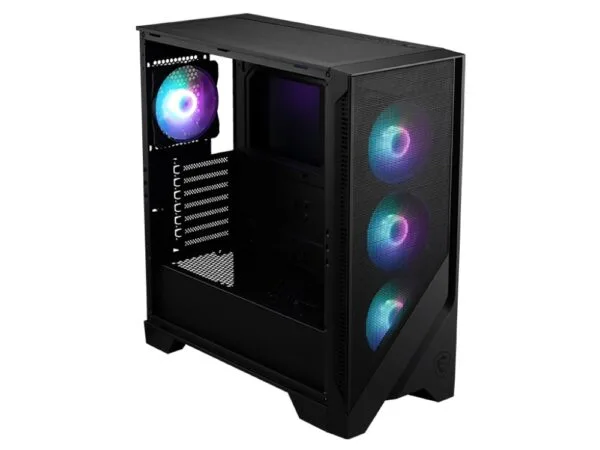
Gaming PCs
Gaming systems should prioritise the graphics card, target resolution, refresh rate, cooling and balanced CPU performance.
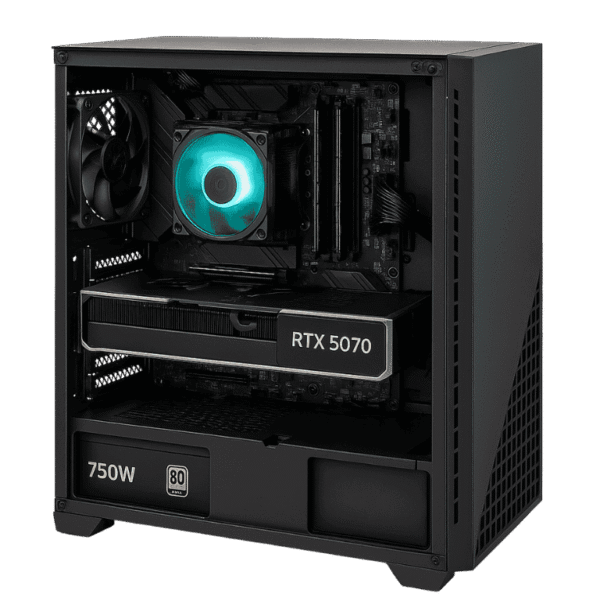
Workstations
Workstations may need more CPU cores, RAM, storage and software-specific GPU performance.

Office computers
Office systems should prioritise reliability, responsiveness, quiet operation and long-term value.
Why component balance matters
A custom computer is only as good as the way its components work together. A high-end processor paired with an underpowered graphics card can be a poor gaming purchase. A flagship graphics card paired with a weak power supply, cramped case or inadequate cooling can create reliability and temperature problems.
A good builder should allocate the budget according to the actual workload. For gaming, that often means putting a larger share of the budget into the graphics card. For editing, CAD, rendering or engineering software, the balance may shift toward the processor, memory, storage or a specialist GPU.
Why you should ask about every part
Some computer advertisements focus almost entirely on the processor and graphics card. Those parts are important, but they are not the whole computer. Ask for the exact model of the motherboard, power supply, SSD, memory, case, fans and cooling solution.
A builder who is confident in the system should be willing to explain why each component was selected. This makes it easier to compare value and avoid systems that look powerful on paper but use weak supporting parts.
What should a custom PC builder test?
After assembly, the builder should verify that the computer starts correctly, detects all installed hardware and remains stable under load.
- Processor and memory stability
- Graphics card performance
- CPU and GPU temperatures
- Storage health and speed
- Fan and pump operation
- Windows and driver installation
- Network, audio and USB operation
- General gaming or workstation performance
Should you choose a local or Australia-wide builder?
A local builder can make pickup, advice and support easier, while an Australia-wide builder can provide more options to customers outside the local area. The important issue is how the computer is packed, shipped and supported after delivery.
CAA Computers serves customers in Sydney and across Australia. Customers can discuss their budget, games, software and preferred appearance before the parts are selected.
How much should a custom PC cost?
Entry gaming PCs generally begin around $1,200 to $1,800. Mid-tier gaming systems generally sit around $1,800 to $3,600, while high-tier systems may cost around $3,600 to $5,500+. Professional workstations can exceed these figures when they require larger memory capacities, specialist graphics cards or high-core-count processors.
Read the complete custom PC cost Australia guide for a detailed breakdown.
Why choose CAA Computers?
CAA Computers builds systems around the customer rather than relying on one fixed configuration. The goal is to create a balanced computer for the games, software, resolution, workload, appearance and budget involved.
You can compare gaming PCs available across Australia, view the work computer range or use the Custom PC Builder Australia page to start planning your system.
Custom PC builder Australia FAQs
How do I choose the best custom PC builder in Australia?
What should be included in a custom PC quote?
Should a custom PC builder stress-test the system?
Can I choose every component in my custom PC?
Is a custom PC better than a prebuilt computer?
Does CAA Computers build gaming PCs and workstations?
Build a custom PC around your actual needs
Tell CAA Computers what you play, which software you use, your target performance and how much you want to spend. We can recommend a balanced custom PC instead of pushing unnecessary parts.