

Are you tired of dealing with constant device breakdowns and disruptions to your daily workflow? Look no further! Our expert tips on maximizing device reliability through routine IT maintenance will revolutionize the way you approach technology. From regularly updating software to ensuring proper ventilation for your devices, we’ve got you covered.
Say goodbye to frustrating technical difficulties and hello to smooth sailing with these invaluable suggestions. Don’t let unreliable devices hold you back any longer – take control of your IT infrastructure today.
Device reliability tips await you in this one-stop guide to seamless technology integration. So what are you waiting for? Dive in and transform your tech experience now.
Table of Contents
Regular Data Backups
By staying proactive with software updates, ensuring timely data backups, and implementing robust antivirus protection measures, businesses can prevent a host of avoidable issues. Hardware inspections and cleanups play a crucial role in prolonging the life of devices and maintaining optimal performance. Moreover, user training on IT maintenance practices empowers employees to contribute to the overall health and efficiency of the organization’s technology infrastructure. Consistent attention to IT maintenance not only enhances reliability but also reduces the risk of costly downtime.
Software Updates and Patches
Regularly updating software and applying patches can boost device performance and security. Data backups are crucial for preventing data loss and maintaining business continuity. Antivirus protection also helps guard against threats, reducing the risk of system failures or breaches. Inspecting and cleaning hardware can prevent issues from escalating, ensuring devices last longer and operate more efficiently.
To ensure device reliability, provide user training on IT maintenance practices. Teach employees how to handle devices properly, manage passwords, and spot phishing attempts to prevent human error-related issues. Empower staff with the knowledge and skills to troubleshoot and perform basic maintenance tasks, promoting a proactive approach to device issues. By promoting a culture of responsibility towards IT maintenance, organizations can enhance device reliability, reduce downtime, and improve operational efficiency.
Antivirus Protection Measures
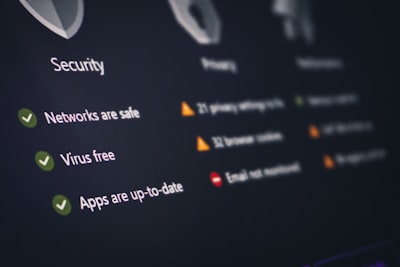
Regularly scanning, updating antivirus software, and enabling real-time protection can reduce the risk of cyberattacks. Additionally, educating users on safe browsing habits and recognizing security threats can enhance antivirus effectiveness. Businesses can also use endpoint security solutions for advanced threat detection and response. These solutions monitor and secure endpoints, identify suspicious activities, and respond to security breaches in real-time. By combining antivirus measures with endpoint security technologies, organizations can strengthen their cybersecurity defenses against evolving threats.
Hardware Inspections and Cleanups
Regularly checking hardware components for wear, dust, or issues is essential for maintaining a reliable IT infrastructure. By cleaning keyboards, monitors, and CPUs, businesses can prevent overheating and ensure optimal performance. Additionally, updating drivers and firmware can improve device efficiency and enhance security measures. Taking these proactive steps can help reduce the risk of breakdowns, extend the lifespan of devices, and enhance overall IT infrastructure reliability. It is important for businesses to prioritize maintenance tasks such as cleaning and updating hardware components. This can help prevent issues that may arise due to wear and tear, dust buildup, or outdated drivers. By regularly caring for hardware, businesses can minimize the likelihood of overheating, breakdowns, and other issues that can disrupt operations. In turn, this proactive approach can lead to increased efficiency and security within the IT environment.
User Training on IT Maintenance
Regularly check performance, monitor hardware, and do maintenance. This includes cleaning devices to prevent dust and checking for wear or issues. Also, keep software updated and compatible with hardware to prevent crashes. By consistently optimizing device reliability, organizations can reduce downtime, increase productivity, and extend IT asset lifespan.
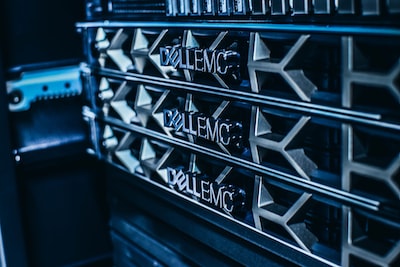
Moreover, proactive troubleshooting can prevent critical failures. This includes tracking performance, analyzing errors, and doing regular diagnostics to identify issues early. By promptly addressing these issues, organizations can keep a stable IT environment.
Prioritizing device reliability helps businesses operate efficiently, improve user experience, and ensure IT security.
Enhance Your Gaming Experience with Custom Gaming PCs and Expert Computer Repairs in Kingsgrove | CAA Comp
Looking to up your gaming experience? Look no further than Custom Gaming PCs Computer Repairs Laptops Kingsgrove | CAA Comp. With their specialized expertise in creating custom gaming PCs, you can expect nothing but top-of-the-line components and personalized configurations for maximum performance.
But wait, there’s more! Need help with device maintenance and IT reliability? CAA Computers also offers expert computer repair services and laptop troubleshooting in Kingsgrove. Say goodbye to technical glitches and hello to seamless gaming and computing.
Frequently Asked Questions
Routine IT maintenance refers to regular tasks and activities performed by IT professionals to ensure the optimal performance and reliability of devices and systems. This can include software updates, hardware maintenance, data backups, security checks, and performance optimizations.
Routine IT maintenance is important for device reliability because it helps prevent system failures, data loss, security breaches, and performance issues. By regularly maintaining devices, IT professionals can identify and address potential issues before they escalate, ultimately prolonging the lifespan of the devices and ensuring their uninterrupted operation.
Common tasks included in routine IT maintenance may include installing software updates, running virus scans, clearing temporary files, optimizing system settings, checking hardware for signs of wear or damage, monitoring system performance, and creating regular backups of important data.
Wrap Up
In a world where technological advancements are at the forefront of everyday life, ensuring the proper maintenance of devices is essential for reliable IT performance. From routine updates to regular virus scans, taking care of your devices can make all the difference in preventing system crashes and potential data loss.
With the rapid pace of innovation, staying on top of maintenance tasks can sometimes feel like a daunting challenge. However, by implementing a strategic plan and establishing a routine, you can effectively prolong the lifespan of your devices and optimize their performance.
So, whether it’s cleaning out your hard drive or investing in quality antivirus software, taking the time to maintain your devices will ultimately lead to a smoother, more efficient computing experience. Embracing the importance of device maintenance is the key to ensuring a reliable IT infrastructure in an ever-evolving digital landscape.