

Video Editing PC Australia.
Built around your footage, not a generic parts list.
Workstations for Adobe Premiere Pro, DaVinci Resolve, After Effects and 4K editing. Tell us what you edit, what software you use and how complex your projects are — we’ll match the CPU, GPU, RAM and storage to the workload.
What are you actually editing?
Built for the applications editors actually use.
Different editing applications stress the system differently. The workstation should be configured around the software you spend your day inside.
 Premiere Pro
 DaVinci Resolve
 After Effects
 Photoshop
 Lightroom
 OBS Studio
Premiere Pro Requirements
Check Adobe’s current recommended CPU, RAM, GPU and storage requirements for HD, 4K and higher-resolution editing.
Adobe Premiere Pro Requirements ↗After Effects Requirements
Useful for editors combining Premiere Pro with motion graphics, compositions and heavier cache-based workflows.
Adobe After Effects Requirements ↗DaVinci Resolve Studio
Official information on GPU acceleration, professional formats, grading and higher-end Resolve Studio workflows.
DaVinci Resolve Studio ↗Three ways to build the right editing workstation.
Start with the Creator PC for lighter editing, move to the RTX 5070 Media Production Workstation for serious 4K work, or step up to the Engineering & Creative Powerhouse for heavier 6K editing and professional production workloads.
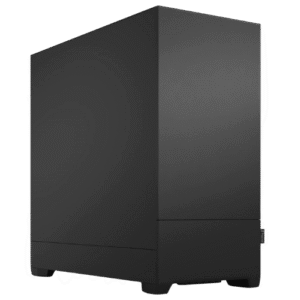
1080p • Creator Work • Adobe
CAA Creator Work PC
- Intel Core i7-12700KF – 12 Core / 20 Thread
- Dedicated Radeon RX 6600 8GB graphics
- 32GB DDR5 memory
- 1TB NVMe SSD
- Windows 11 Pro
A strong starting point for creators, photographers, social content and lighter Premiere Pro or DaVinci Resolve projects.
View Creator PC
4K Editing • Premiere Pro • Resolve
Media Production Workstation
- Intel Core i7-12700
- NVIDIA GeForce RTX 5070
- 32GB DDR5 memory
- 2TB NVMe SSD
- Windows 11 installed
The main recommendation for editors who need a stronger balance of CPU performance, NVIDIA GPU acceleration, memory and project storage.
View Recommended PC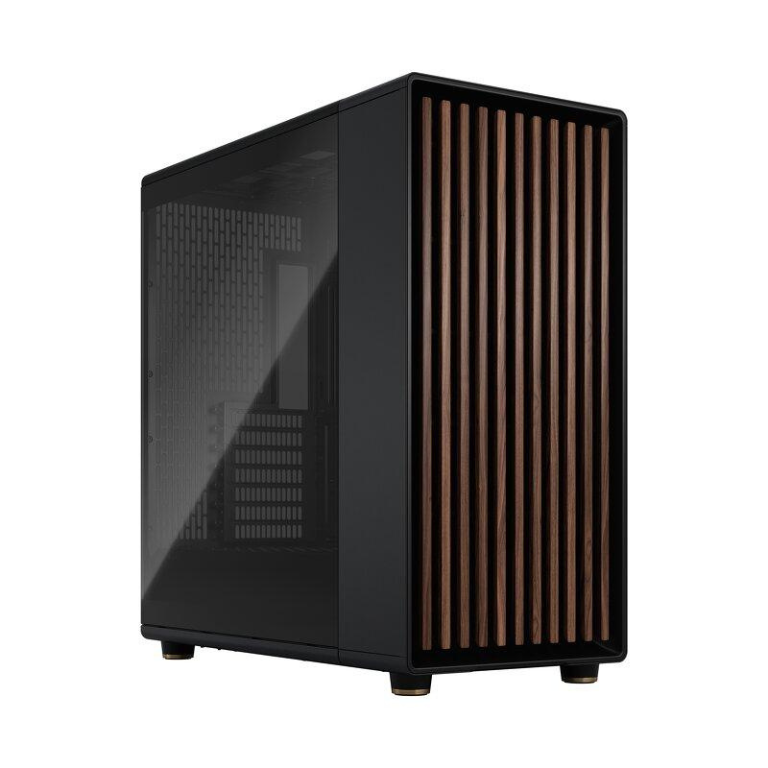
6K Editing • Creative Work • Heavy Production
Engineering & Creative Powerhouse
This is the high-end workstation option for editors who need more headroom than the standard 4K systems. It is positioned here for heavier 6K editing, larger projects and demanding professional creative workloads.
For RAW footage, complex colour work, After Effects-heavy projects or unusual codecs, CAA can still tailor the final configuration around the exact workflow.
View 6K Editing Workstation“4K capable” does not tell the whole story.
Resolution matters, but codec, effects, multicam, grading and project complexity can completely change the workload.
| Workflow | Memory | Graphics / CPU | Storage | CAA Starting Point |
|---|---|---|---|---|
| 1080p social / YouTube | 16–32GB | Balanced modern CPU + dedicated GPU | 1TB SSD+ | Creator Work PC |
| Regular 4K editing | 32GB+ | Strong CPU + GPU acceleration | Fast NVMe, preferably 2TB+ | Media Production Workstation |
| Heavy 4K / multicam / grading | 32–64GB+ | Stronger CPU + GPU | Fast project + cache storage | Media / Custom |
| 6K / RAW / effects | 64GB+ where required | High-performance CPU/GPU | Multiple fast SSDs often useful | Engineering & Creative Powerhouse |
| 8K / professional finishing | Project dependent | Configured to software and media | Custom storage layout | Custom Quote |
Fix the problem that is actually slowing the edit.
Stuttering Timeline
Codec decoding, CPU load, GPU effects, memory pressure and storage can all contribute. The solution is not automatically “buy a bigger GPU.”
Slow Exports
Export performance can shift between CPU, GPU and hardware encoding depending on the application, codec and effects in the timeline.
Effects Kill Playback
Basic cuts and heavy colour grading are completely different workloads. Noise reduction, effects and multicam editing can transform system requirements.
Not Enough RAM
Premiere, Resolve, After Effects and other applications running together can consume significant memory. Heavy professional projects can justify 64GB or more.
Storage Fills Too Fast
Editors need to account for source media, proxies, cache, exports and archives — not just the space required to install Windows.
Wrong PC For The Software
A good editing workstation is built around the applications and footage. That is why we ask about the workload before recommending the hardware.
Different software. Different pressure points.
Adobe Premiere Pro
A balanced workstation matters. CPU performance, GPU acceleration, RAM capacity and fast storage all contribute to the editing experience.
- 32GB+ is a sensible starting point for serious 4K work
- Fast NVMe storage helps project and media workflows
- Codec and footage type can affect playback heavily
- After Effects integration can increase RAM requirements
DaVinci Resolve
Resolve can make strong use of GPU acceleration, particularly during colour work, effects and GPU-heavy processing.
- GPU and VRAM become especially important
- Colour grading and noise reduction can increase GPU demand
- Large projects can justify higher memory capacity
- Fast project storage remains important
Premiere Pro PC, DaVinci Resolve PC and 4K editing workstation in one buying guide.
This page is designed to answer the main buying questions behind searches such as video editing computer Australia, video editing workstation Australia, PC for Premiere Pro, DaVinci Resolve PC Australia and 4K video editing PC Australia — without splitting the same intent across multiple competing landing pages.
Questions editors ask before buying.
What is the best video editing PC in Australia?
The best system depends on your editing application, footage resolution, codec, effects and project size. For serious 4K work, CAA's Media Production Workstation is the main starting point on this page.
How much RAM do I need for 4K video editing?
32GB is a sensible starting point for many serious 4K workflows. Heavy timelines, After Effects, large projects and demanding multitasking can justify 64GB or more.
Is RTX 5070 good for video editing?
An RTX 5070 provides strong GPU acceleration for supported creative applications. A balanced editing PC still needs appropriate CPU performance, memory and storage.
Can you build a PC specifically for DaVinci Resolve?
Yes. CAA can configure a workstation around Resolve, including the GPU, VRAM, RAM and storage requirements of your typical projects.
Do I need a custom workstation for 6K or 8K footage?
Not every high-resolution project is identical, so CAA recommends treating heavy 6K, 8K and RAW workflows as custom configurations based on the actual camera media, applications and effects used.
Tell us the footage. We’ll design the PC around it.
Include your software, footage resolution, camera/codecs if known, project size, storage requirement and budget. That gives us a much better starting point than guessing from a generic workstation label.
Read More: Video Editing PC Australia Buying Guide
Video Editing PC Australia – Choosing the Right Editing Workstation
A video editing pc australia buyer should choose hardware around the actual footage, editing software and project complexity rather than simply buying the most expensive gaming computer available. The right balance of processor, graphics card, memory and storage can make a major difference to timeline responsiveness, effects work, exports and general editing workflow.
What Makes a Good Video Editing PC?
A strong video editing pc australia configuration needs more than a fast graphics card. Video editing workloads can place pressure on the CPU, GPU, system memory and storage at the same time. The correct balance depends on whether the machine is being used for basic social content, long-form 4K projects, multicam editing, colour grading, motion graphics or heavier production work.
CAA Computers approaches each video editing pc australia build by looking at the applications being used and the footage being edited. Premiere Pro, DaVinci Resolve and After Effects can place different demands on the system, so there is no single specification that is automatically best for every editor.
Video Editing PC Australia for Adobe Premiere Pro
For Premiere Pro, a balanced video editing pc australia should combine a capable processor, dedicated graphics, sufficient memory and fast SSD storage. Adobe recommends 32GB or more of RAM for 4K and higher-resolution work, making 32GB a sensible starting point for many serious editors.
A video editing pc australia used for Premiere Pro should also consider the footage codec. Highly compressed camera footage can create decoding demands that are very different from simpler editing formats. The same computer can therefore feel fast in one project and considerably heavier in another.
DaVinci Resolve Video Editing Workstation
DaVinci Resolve can make substantial use of GPU acceleration, particularly during colour work and GPU-heavy effects. Blackmagic Design documents expanded GPU acceleration in DaVinci Resolve Studio, including CUDA and OpenCL support on Windows. For this reason, the graphics card becomes especially important when choosing a video editing pc australia for Resolve Studio workflows.
The Media Production Workstation combines an Intel Core i7 processor, RTX 5070 graphics, 32GB DDR5 memory and 2TB NVMe storage, making it the recommended starting point on this page for buyers looking for a stronger video editing pc australia for 4K editing and professional creator workloads.
After Effects and Motion Graphics
After Effects users often need to think beyond GPU specifications. Adobe’s current After Effects system requirements also emphasise memory, GPU memory and fast SSD/cache storage for heavier workflows. Memory capacity, processor performance and fast cache storage can become extremely important. A video editing pc australia that will regularly run Premiere Pro and After Effects together may benefit from more RAM than a system used for straightforward video cutting alone.
How Much RAM Does a Video Editing PC Need?
For lighter work, 16GB can still be usable, but a professional video editing pc australia should generally be considered from 32GB upward when 4K projects are part of the workflow. Large compositions, complex timelines, multiple Adobe applications and heavier media can justify 64GB or more.
RAM is also one of the easiest parts to upgrade later. CAA can configure a video editing pc australia with additional memory when the editor's project sizes or software requirements demand it.
Storage for Video Editing
Video files can consume storage quickly. A video editing pc australia should have enough fast SSD capacity for Windows, applications and active projects, with additional storage considered for media libraries, cache files and archives.
The recommended Media Production Workstation includes 2TB NVMe storage, giving a video editing pc australia more practical working capacity than a basic desktop configured only for office documents or everyday applications.
1080p Video Editing PC
A creator working primarily with 1080p footage may not need the same level of hardware as a professional editor working with complex 4K timelines. An entry video editing pc australia can therefore focus on a balanced CPU, dedicated GPU, 32GB memory and fast SSD storage without immediately moving to the most expensive workstation class.
4K Video Editing PC Australia
For regular 4K work, the recommended video editing pc australia should move toward stronger CPU and GPU performance, 32GB or more of memory and fast NVMe storage. Effects, colour grading, multicam editing and high-bitrate footage can all increase the workload considerably.
The important point is that “4K capable” is not a complete specification. A video editing pc australia cutting simple 4K footage has very different requirements from a system handling 4K colour grading, effects, noise reduction and multiple camera angles.
6K, 8K and RAW Editing
Higher-resolution footage and RAW production workflows can require substantially more memory, storage bandwidth and graphics performance. Instead of presenting one fixed machine as suitable for every workload, CAA treats this level as a custom video editing pc australia configuration.
Editors working with 6K footage can step up to the Engineering & Creative Powerhouse, while 8K, RAW footage, heavy colour work or unusually demanding production applications can still be quoted around the exact software and project requirements.
CPU or GPU – Which Matters More?
There is no single answer for every video editing pc australia. CPU performance matters for many decoding, processing and export tasks, while GPU performance becomes particularly important for accelerated effects, colour work and applications such as DaVinci Resolve.
The best video editing pc australia therefore avoids spending the entire budget on one component while leaving memory or storage underspecified. A balanced workstation is usually more useful than a machine with one headline component and obvious bottlenecks elsewhere.
Video Editing PC vs Gaming PC
A gaming computer can absolutely edit video, but a purpose-built video editing pc australia is selected around different priorities. Editors may value higher memory capacity, larger project storage, sustained workload cooling, workstation reliability and software-specific GPU acceleration more than gaming-focused RGB or extreme frame-rate performance.
CAA uses standard desktop components, so a video editing pc australia can be upgraded later with additional RAM, storage, graphics hardware or other compatible components rather than relying on proprietary OEM parts.
Video Editing PC Australia Built in Sydney
CAA Computers builds and tests workstation PCs in Sydney and supplies systems Australia-wide. Buyers comparing broader professional systems can also visit Work Computers Australia, while custom configurations are available through the Custom Computer Builder. A video editing pc australia can be selected from an existing CAA workstation or configured around Premiere Pro, DaVinci Resolve, After Effects and the editor's actual footage requirements.
For broader professional systems, compare Work Computers Australia. Editors who need a completely different specification can also use the Custom Computer Builder to request a workstation designed around a specific workflow.
Choosing a video editing pc australia around the real workflow helps avoid paying for the wrong components.
Choosing a video editing pc australia around the real workflow helps avoid paying for the wrong components.
Choosing a video editing pc australia around the real workflow helps avoid paying for the wrong components.
Choosing a video editing pc australia around the real workflow helps avoid paying for the wrong components.
Choosing a video editing pc australia around the real workflow helps avoid paying for the wrong components.
Choosing a video editing pc australia around the real workflow helps avoid paying for the wrong components.