

Business Computer Australia.
PCs that keep your team working.
Reliable business desktop computers for Australian offices, small businesses, accountants, bookkeepers, admin teams and professional users. Buy one PC, replace a few ageing desktops or ask CAA to quote a complete office rollout.
One PC or a whole office.
Tell us what each staff member does and we can match the hardware to the role instead of supplying the same oversized PC to every desk.
Business software & platforms
Systems can be selected around the software your team uses every day.


Buying for your business?
Whether you are replacing one slow desktop or fitting out an office, the hardware should be matched to the employee’s workload.
One Business PC
Choose a practical desktop for a business owner, receptionist, bookkeeper or home office.
Small Team
Replace ageing office desktops and standardise staff on reliable Windows systems.
Office Rollout
Request a tailored quote for multiple systems, mixed staff roles and upgrade requirements.
Different Workloads
Admin does not need CAD hardware. Design staff should not be forced onto an entry office PC.
Four systems. Four levels of work.
Start with the role and move up only when the applications need more performance.
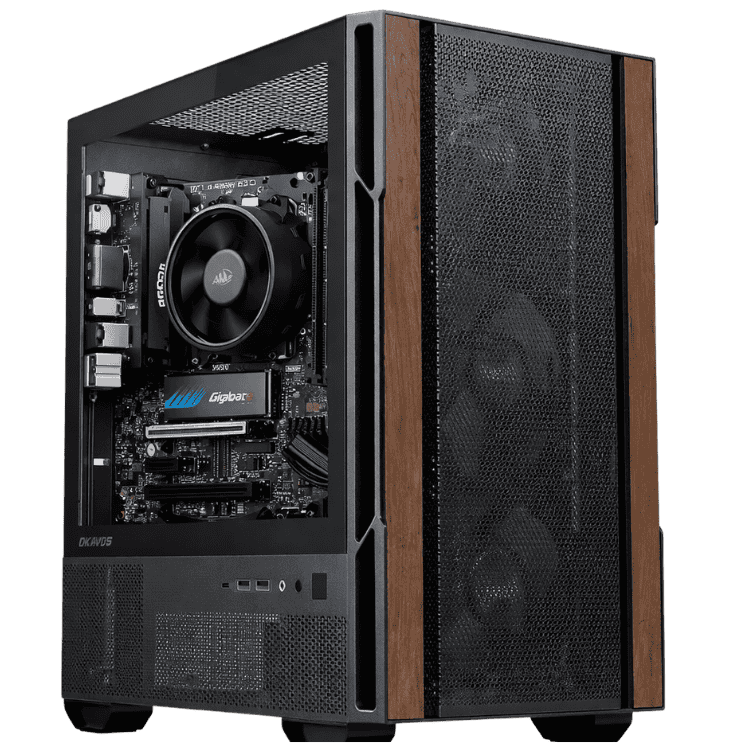
Admin • Reception • Everyday Business
CAA Budget Office PC
- Windows 11 installed
- Email, web & documents
- Ideal for reception and admin
- Great starter PC for small business
An affordable business computer for reception, administration, email, documents, browser-based systems and everyday office work.
View Business ComputerAccounting • Bookkeeping • Business Owners
Professional Work Computer
- AMD Ryzen 5 5600GT
- 16GB DDR4 memory
- 500GB SSD + Wi-Fi
- Word, Excel, PowerPoint, Outlook & Access included
The featured business computer for buyers who want Windows 11 and Microsoft Office ready for work from day one.
View Business Computer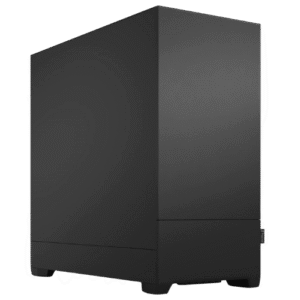
Marketing • Design • Multi-Monitor
CAA Creator Work PC
- Windows 11 installed
- Adobe Creative Cloud ready
- Photoshop, Illustrator & Canva
- More power for creative multitasking
A stronger business desktop for marketing teams, creators and professionals who need more than a standard office PC.
View Business Computer
CAD • Engineering • Video Editing
Media Production Workstation
- Intel Core i7 processor
- GeForce RTX 5070
- 32GB DDR5 memory
- 2TB NVMe storage
A high-performance workstation for demanding professional applications where a normal office PC is not enough.
View Business ComputerMicrosoft Office included.
The Professional Work Computer is designed for businesses that want Windows 11 plus Word, Excel, PowerPoint, Outlook and Access ready to use.
.svg "Business Computer Australia 11") Word
Word.svg "Business Computer Australia 12") Excel
Excel.svg "Business Computer Australia 13") Outlook
Outlook.svg "Business Computer Australia 14") PowerPoint
PowerPoint.svg "Business Computer Australia 15") Access
Access Windows 11
What does the employee actually do?
Business buyers care about the outcome. Pick the workload first, then the hardware.
Administration
Email, Word, Excel, browser systems, bookings, printing and everyday office work.
See Recommended PCs


Accounting & Bookkeeping
Xero, MYOB, QuickBooks, Excel, Outlook, payroll and reporting.
See Recommended PCsSales & Real Estate
CRM systems, Outlook, browser tabs, documents, calendars and dual monitors.
See Recommended PCs


Marketing & Creative
Canva, Photoshop, Illustrator, content creation and multi-monitor productivity.
View Work Computers

CAD & Engineering
AutoCAD, Fusion 360, modelling and technical workloads need workstation hardware.
View CAD Workstations

Video & Media
Premiere Pro, DaVinci Resolve, Photoshop and production workloads.
View Video Editing PCsBusiness PCs without the mystery.
Built Around Your Workflow
- Tell us the software each staff member uses
- Choose the right RAM, storage and monitor support
- Avoid unnecessary gaming hardware on office desks
- Move specialist users onto proper workstations
Ready For Business Use
- Windows 11 installed on the business range
- Microsoft Office included on the featured Professional Work Computer
- Systems assembled and tested before supply
- Local Sydney support with Australia-wide supply
Systems supplied for real Australian workplaces.
CAA Computers has supplied computers to businesses in automotive, manufacturing, kitchen and joinery, and other professional environments.
The system should fit the business.
A mechanic running workshop and booking software has different requirements from a manufacturer. A kitchen or joinery business using design software can require far more workstation performance than an ordinary admin desktop.
CAA can supply a basic office PC for everyday staff and stronger systems for the users whose software actually needs the extra performance.
Which business computer should you buy?
| System | Best For | Office Included | Level |
|---|---|---|---|
| Budget Office PC | Admin, reception, email, documents | No | Essential |
| Professional Work Computer | Accounting, bookkeeping, managers | Yes | Everyday Business |
| Creator Work PC | Marketing, Adobe, creative multitasking | No | Professional |
| Media Production Workstation | CAD, engineering, editing, design | No | Workstation |
One desk or a full office rollout.
Tell CAA how many computers you need, what software staff use, whether Microsoft Office is required and how many monitors each user needs.
- Number of staff / desktops
- Microsoft Office requirements
- Xero, MYOB, QuickBooks or other software
- Single, dual or multi-monitor setups
- Storage and networking requirements
- CAD, Adobe or specialist workloads
Need more than a standard business computer?
Send specialist users to the right workstation category instead of trying to make one office PC do everything.
Before you choose a business desktop.
What is the best computer for a small business?
The best business computer depends on the role. Basic admin users can start with the Budget Office PC, while accounting, creative and professional users should choose progressively stronger systems based on software and multitasking requirements.
Which business computer includes Microsoft Office?
The Professional Work Computer includes Microsoft Office with Word, Excel, PowerPoint, Outlook and Access.
Can I buy business computers for multiple staff?
Yes. Use the quote form and tell CAA how many desktops are required and what each staff member does so the hardware can be matched to each role.
When should I choose a workstation?
Move to a workstation for demanding CAD, engineering, rendering, video editing, AI or creative workloads that benefit from stronger CPU, GPU and memory performance.
Read More: Business Computer Australia Buying Guide
Business Computer Australia – Choosing the Right Desktop for Work
A business desktop should help staff complete everyday work faster and more reliably. The right business desktop depends on the software being used, how many applications remain open at once, the number of monitors required and how heavily the system is used throughout the day. CAA Computers supplies business desktop computers for Australian offices, small businesses and professional users.
For reception, administration or general office work, a business desktop does not need expensive gaming hardware. It needs a responsive processor, SSD storage, enough memory and a stable Windows installation. A good business desktop should open email, browser tabs, PDFs, documents, cloud software and video meetings without staff constantly waiting for basic tasks.
Best Computer for Business Use
The best business desktop is the system that matches the employee’s real workload. A receptionist may only need email, bookings and browser-based software, while an accountant may keep Excel, Outlook, accounting software and many browser tabs open together. A marketing employee may need a stronger business desktop for Adobe applications, Canva, images and multiple monitors.
Businesses comparing a business desktop should look at more than the processor model. RAM, storage speed, networking, monitor support and upgrade options all affect how useful the system will be over time. Microsoft provides current information about Windows for organisations on its Windows 11 Pro for business pages.
Business Desktop Computers for Small Business
A desktop business computer can be a practical choice for small business because it stays at the desk, is easier to service and can often be upgraded more easily than a thin laptop. For staff who work mainly from one desk, a business computer paired with a proper monitor, keyboard and mouse can provide a comfortable long-term setup.
CAA Computers offers small business computers ranging from the $779 Budget Office PC through to the Professional Work Computer with Microsoft Office included. The correct business computer may be used for quoting, invoicing, CRM software, customer email, spreadsheets, online portals, stock management and daily administration.
Business Computer for Microsoft Office
Microsoft Office remains central to many Australian workplaces. A business computer used heavily for Word, Excel, PowerPoint, Outlook and Access should have enough memory and storage performance to keep multiple applications responsive. CAA’s Professional Work Computer is a straightforward business computer choice because Microsoft Office is included with that system.
Microsoft provides information about its productivity platform through the Microsoft 365 for business website. Businesses already using Teams, OneDrive or Microsoft 365 should choose a business computer that fits comfortably into that workflow.
Business Computer for Xero, MYOB and QuickBooks
An accounting or bookkeeping business computer often spends the day running spreadsheets, email, browser tabs and cloud accounting software together. Xero publishes information about its accounting platform at Xero Australia, while MYOB provides Australian business software information at MYOB Australia.
For accounting work, a business computer with 16GB of memory can provide more comfortable multitasking than a minimal configuration. Businesses working with larger spreadsheets should choose the business computer around the user’s actual workflow rather than simply choosing the lowest advertised price.
Business Desktop PC for Multiple Monitors
A multi-monitor business computer can help staff keep different applications visible at the same time. Accountants may keep reports on one display and accounting software on another. Sales staff may keep a CRM open while responding to email. The correct business computer should have suitable display outputs for the intended setup.
Dual-monitor setups are common for administration, accounting, bookkeeping, customer service and professional services. If a user needs three or more displays or GPU-accelerated applications, a stronger business computer or workstation may be more suitable than a basic integrated-graphics desktop.
Business PC for Teams, Zoom and Remote Work
Video meetings are part of normal office work. A business computer should be able to run Teams or Zoom while documents, email and browser tabs remain open. Network reliability, enough RAM and a responsive processor all matter. A properly configured business computer should handle ordinary communication tasks without staff needing to close everything else first.
Small Business Computers That Can Be Upgraded
Upgradeability can extend the useful life of a business computer. Extra memory, larger SSD storage, additional monitors or a dedicated graphics card may become useful as a role changes. A desktop business PC can therefore be a flexible option for growing businesses that do not want to replace an entire machine whenever requirements increase.
Customers who need a system designed around specific applications can also use the Custom Computer Builder. If the workload is more demanding, see Work Computers Australia for higher-performance systems beyond a standard business computer.
Business Computer for Accounting and Bookkeeping
A reliable business computer is especially important for accountants and bookkeepers because delays affect payroll, reconciliations, reporting and client work. The Professional Work Computer is positioned as a convenient business computer for these users because Office applications are already included.
Buyers comparing a business computer for finance roles can also move into dedicated accounting and bookkeeping pages, while the existing Office Computers Australia page remains available for broader office-PC shopping.
When Do You Need a Workstation Instead?
A normal business computer is ideal for administration, Microsoft Office, accounting, browser-based software and general productivity. CAD, engineering, 3D rendering, video editing and large Adobe projects may need considerably more CPU, GPU and memory performance. In those situations, choosing a workstation instead of a standard business computer prevents the office machine from becoming the bottleneck.
CAA’s work computers and workstations cover heavier professional workloads. Specialist pages for video editing, CAD, engineering, AI and graphic design can help buyers compare the correct workstation category instead of forcing every professional workload onto one business computer page.
Best Business Desktop for Australian Offices
The best business computer for an Australian office should deliver reliable performance for the role, include enough RAM and SSD storage, support the required displays and be easy to maintain. The cheapest business computer may be perfect for a reception desk, while another employee may save more time with a stronger system.
CAA Computers is based in Sydney and supplies desktops Australia-wide. If you are unsure which business computer suits your organisation, use the quote form on this page and include the programs your staff use, monitor requirements and whether you are replacing one desktop or purchasing multiple small business computers.
Build your business around better computers.
From one $779 office desktop to a mixed office rollout with professional workstations, CAA can help match each system to the person using it.