
CAA Computers

Gaming Computer Repair Sydney

Gaming Computer Repair Sydney

Fix Your Gaming Computer Properly.

CAA Computers helps Sydney gamers with gaming computer repair for no display, overheating, crashing, low FPS, GPU problems, Windows errors, RGB faults, failed upgrades and custom gaming system issues across Kingsgrove, Bankstown, Revesby, Hurstville and nearby Sydney suburbs.

🖥️No Display Faults
🔥Overheating Repairs
🎮Low FPS Diagnosis
GPU & PSU Issues
🛠️Sydney PC Technician

Gaming Computer Not Booting, Crashing Or Running Hot?

Gaming PCs need proper fault finding. CAA checks the parts that matter: GPU, CPU, RAM, motherboard, storage, power supply, cooling, Windows, drivers and the way the PC behaves under gaming load.

Common Gaming PC Problems

  • Gaming PC turns on but has no display
  • Games crash, freeze or close to desktop
  • CPU or GPU overheating during gaming
  • Low FPS, stuttering and poor performance
  • VGA, DRAM, CPU or BOOT debug light
  • Failed upgrade after new GPU, RAM or SSD

The CAA Repair Approach

  • Real diagnosis before replacing random parts
  • Gaming load checks, not just idle testing
  • Driver, Windows and BIOS checks where needed
  • Cooling, airflow and cable inspection
  • Repair advice for custom and prebuilt gaming PCs
  • Clear next-step recommendation before major parts

Gaming Computer Repair Services Sydney

From black screens to random shutdowns, CAA Computers helps diagnose and repair gaming PCs across Sydney.

🖥️

Gaming PC No Display Repair Sydney

For PCs that power on but show no signal, black screen, VGA light, boot loop, GPU output problem or motherboard debug lights.

🌡️

Gaming PC Overheating Repair Sydney

For high CPU temps, GPU overheating, loud fans, thermal throttling, failed AIO coolers, dust blockage and poor airflow.

💥

Gaming PC Crash Repair Sydney

For game crashes, freezing, restarting, blue screens, power shutdowns, RAM instability, driver conflicts and Windows faults.

🎯

Gaming PC Low FPS Fix Sydney

For sudden FPS drops, stuttering, poor frame pacing, slow loading, incorrect display settings, heat issues and driver problems.

Gaming computer GPU Repair Sydney

For graphics card faults, driver timeouts, black screens, artefacts, power cable issues, PCIe problems and GPU overheating.

🔴

Gaming computer RGB & Fan Repair Sydney

For RGB not syncing, fans not spinning, fan hub issues, lighting controller faults, loud fan noise and airflow problems.

Gaming Computer Repair Sydney Gaming computer repair Sydney for custom red gaming computer no display overheating and GPU faults

Custom Gaming PC Fault Finding

No display, overheating, crashing, failed upgrades and unstable gaming performance diagnosed properly.
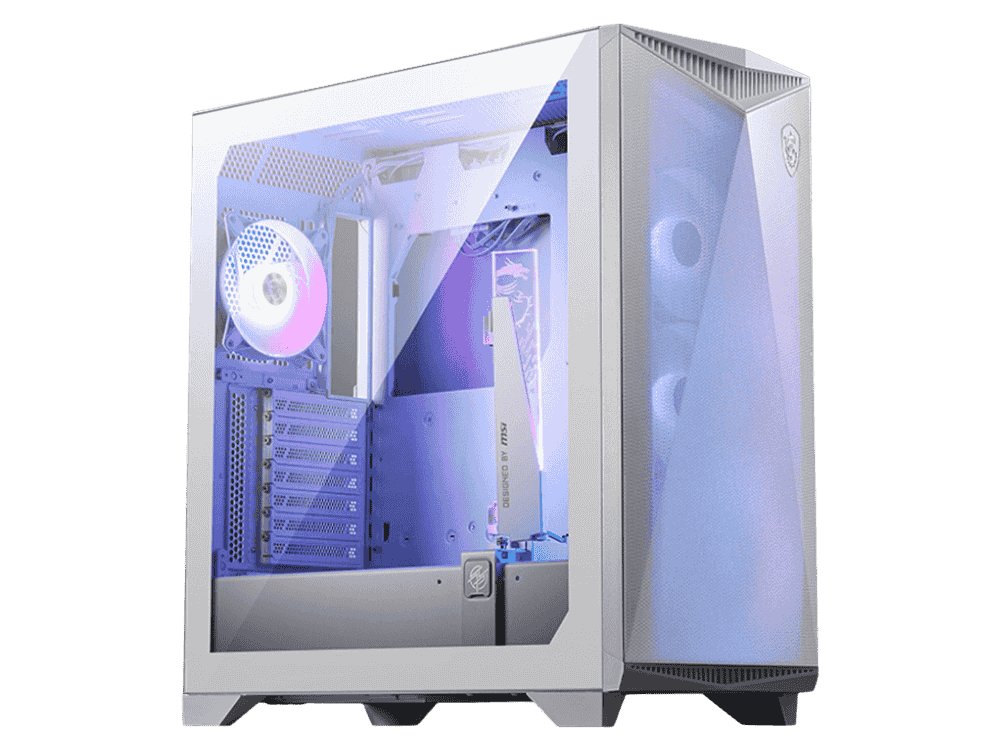
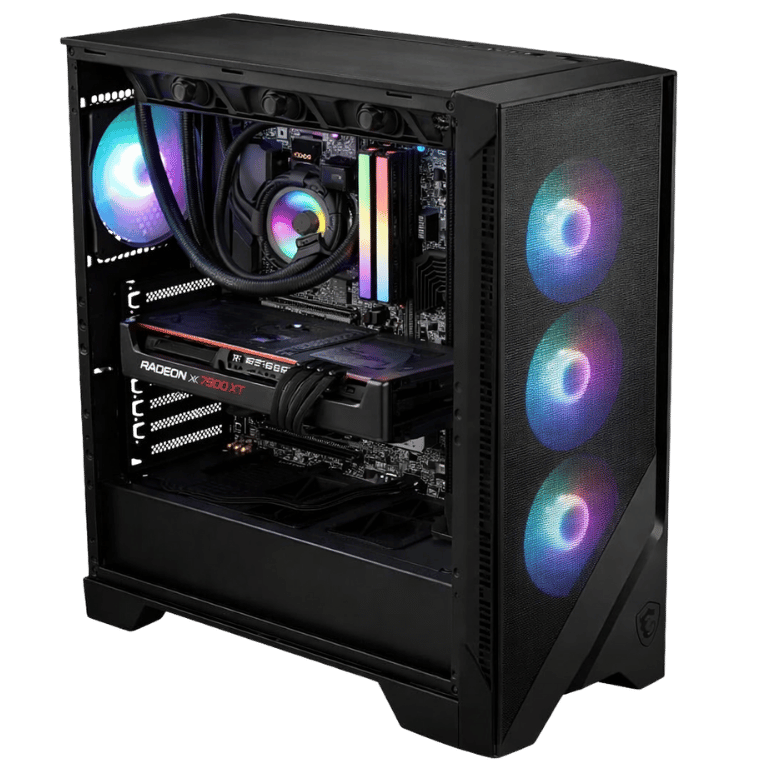
GPU Issues Gaming computer repair Sydney graphics card GPU troubleshooting and gaming system repair
Performance Fix Gaming computer repair Sydney low FPS repair overheating fix and gaming performance diagnosis

How CAA Diagnoses Gaming Computer Repairs

The goal is to avoid guessing. We look at what the system is doing, test the likely fault areas, then recommend the repair that makes sense.

1

Fault Symptoms

We start with what changed: no display, crash timing, upgrade history, heat, noises, error lights or game behaviour.

2

Hardware Checks

GPU, RAM, PSU, motherboard, SSD, cooling, cables and debug lights are checked against the symptoms.

3

Software Checks

Drivers, Windows, boot issues, storage health, BIOS settings and background software can also cause gaming PC faults.

4

Repair Advice

You get a clear recommendation before major replacement parts are installed or ordered.

Gaming Computer Repair Sydney For Real Gaming Problems

Gaming PCs can fail in different ways. These are the repair categories Sydney gamers usually need help with.

Internal Links For Gaming Computer Repair Sydney Customers

If your gaming computer is not worth repairing, needs an upgrade, or you want to compare new systems, these CAA Computers pages can help.

🛠️

Main Gaming PC Repair Page

For the related gaming PC repair service page, visit CAA Gaming PC Repair.

🎮

Gaming PC Australia

Compare new gaming computers and custom gaming systems on the Gaming PC Australia page.

📍

Gaming PC Sydney

For Sydney gaming desktops and local custom builds, visit the Gaming PC Sydney page.

Mid Tier Gaming PCs Sydney

If your old gaming computer is not worth repairing, compare mid tier gaming PCs Sydney.

💰

Budget Gaming PCs Sydney

For affordable replacement options, see budget gaming PCs Sydney.

🧩

Custom PC Builder Australia

For a fully custom system, visit Custom PC Builder Australia.

🔥

High End Gaming PCs

For premium RTX gaming computers, visit High End Gaming PCs Sydney.

🖥️

Desktop Computer Repair

For broader desktop faults, visit Desktop PC Repair Sydney.

☎️

Contact CAA Computers

Ready to book a diagnosis? Go to Contact CAA Computers.

Gaming Computer Repair Near Sydney

CAA Computers helps Sydney gamers and local customers looking for a gaming PC technician near them.

Kingsgrove
Bankstown
Hurstville
Revesby
Padstow
Beverly Hills
Liverpool
Sydney Metro

Gaming Computer Repair Sydney Guide

Read more about common gaming computer repair issues, symptoms and what to check before replacing parts.

Gaming Computer Repair Sydney For No Display, Black Screen And VGA Lights

If your gaming PC turns on but has no display, the fault could be simple or serious. Common causes include a loose graphics card, faulty GPU, bad RAM seating, motherboard BIOS issue, CPU problem, power supply fault, display cable issue or incorrect monitor input. Many gaming PCs look like they are running because fans and RGB turn on, but the system may not actually be posting.

CAA Computers can help diagnose gaming PC no display faults in Sydney by checking the hardware path properly. The aim is to find the real fault before you spend money replacing the wrong part. For official GPU driver support, NVIDIA driver downloads are available here: NVIDIA Driver Downloads.

Gaming Computer Repair Sydney For Overheating And Loud Fans

Overheating is one of the most common gaming computer repair issues. A gaming PC can overheat because of dust build-up, weak airflow, failed fans, dried thermal paste, a failing AIO liquid cooler, incorrect fan direction, poor cable management or a graphics card running too hot. When temperatures climb, the PC can throttle, crash, shut down or lose FPS.

CAA Computers can inspect cooling, airflow, CPU temperatures, GPU temperatures, fan curves and thermal paste condition. Official AMD graphics driver and support resources are available here: AMD Drivers and Support.

Gaming Computer Repair Sydney For Crashing, Freezing And Blue Screens

Gaming computer crashing can be caused by hardware, software or power instability. Games may crash because of GPU drivers, Windows corruption, unstable RAM, overheating, failing storage, weak power supply, BIOS settings or a faulty graphics card. A PC that works at idle but crashes in games needs testing under load because the problem may only appear when the CPU and GPU are working hard.

Microsoft provides official Windows troubleshooting and support here: Microsoft Windows Support. CAA Computers can help Sydney customers work through Windows errors, blue screens and gaming PC faults without guessing.

Gaming Computer Repair Sydney For Low FPS, Stuttering And Poor Performance

A gaming PC does not need to be completely dead to need repair. If your system has sudden low FPS, stuttering, slow loading, high temperatures or poor frame pacing, something may be wrong. Common causes include outdated drivers, overheating, failing storage, RAM issues, bad Windows settings, incorrect display settings, background apps or bottlenecks.

For gamers using GeForce graphics cards, NVIDIA explains GeForce technologies and driver updates here: NVIDIA GeForce Australia. CAA Computers can help test gaming performance and work out whether your PC needs repair, cleaning, driver work or an upgrade.

Gaming Computer Repair Sydney After A Failed Upgrade

Many gaming computer repair jobs happen after an upgrade. A new graphics card, RAM kit, SSD, power supply or CPU cooler can cause no display, boot failure, crashes, driver issues or temperature problems if the part is not compatible or installed correctly. Gaming PCs need the right power cables, BIOS support, airflow and driver setup.

If your gaming PC stopped working after an upgrade, CAA Computers can help inspect the installation and identify the fault. For official Intel processor support and information, visit: Intel Australia Support.

Gaming Computer Repair Bankstown, Kingsgrove, Revesby And Nearby Sydney Suburbs

CAA Computers targets gaming computer repair Sydney customers across Kingsgrove, Bankstown, Revesby, Padstow, Hurstville, Beverly Hills, Liverpool, Penshurst, Punchbowl, Riverwood, Roselands and surrounding areas. If you searched gaming computer repair near me, the page should make it clear that CAA is a Sydney-based option for gaming computer diagnosis, custom gaming system repairs and performance troubleshooting.

Internal links also help users move to the right next step. If the system can be repaired, they can use this page or the Gaming PC Repair page. If the system is old or not worth repairing, they can compare Budget Gaming PCs Sydney, Mid Tier Gaming PCs Sydney or Custom PC Builder Australia.

Need Gaming Computer Repair In Sydney?

Tell CAA what happened, what parts are inside the PC and what lights, errors or symptoms you are seeing. We will help work out the next step.

Gaming Computer Repair Sydney FAQ

Quick answers for Sydney gamers who need help fixing a gaming PC.

Do you offer gaming computer repair in Sydney?

Yes. CAA Computers helps with gaming computer repair in Sydney, including no display faults, overheating, crashes, low FPS, GPU problems, Windows issues, RGB faults, failed upgrades and custom gaming PC problems.

Can you fix a gaming PC with no display?

Yes. A gaming PC with no display may have a GPU, RAM, motherboard, CPU, power supply, BIOS or cable issue. CAA Computers can help diagnose the fault before recommending replacement parts.

Can you repair overheating gaming PCs?

Yes. CAA Computers can inspect dust build-up, airflow, fan operation, thermal paste, CPU cooler mounting, GPU temperatures and AIO liquid cooler problems.

Can you fix a gaming PC that crashes in games?

Yes. Crashing in games can be caused by drivers, Windows problems, unstable RAM, overheating, GPU faults, storage issues or power supply problems. CAA can help diagnose the likely cause.

Do you repair custom gaming PCs?

Yes. CAA Computers can help repair custom gaming PCs, including systems built by another store, built at home or upgraded with new parts.

Can you help after a failed gaming PC upgrade?

Yes. If your gaming PC stopped working after a GPU, RAM, SSD, cooler, motherboard or power supply upgrade, CAA Computers can inspect the build and help find the fault.

Do you fix low FPS and stuttering?

Yes. CAA Computers can help check gaming PC performance problems such as low FPS, stuttering, overheating, driver issues, storage problems and incorrect settings.

What areas do you service for gaming computer repair?

CAA Computers is Sydney-based and helps customers around Kingsgrove, Bankstown, Hurstville, Revesby, Padstow, Beverly Hills, Liverpool and the wider Sydney metro area.

Gaming Computer Repair Sydney

CAA Computers provides gaming computer repair Sydney services for custom gaming computers, prebuilt gaming systems, high-performance desktops and gaming rigs that are not working properly. If your gaming computer has no display, keeps crashing, overheats, freezes, shuts down, shows motherboard debug lights, has GPU problems, loses FPS or will not boot into Windows, CAA Computers can help diagnose the issue and recommend the right repair path.

Gaming computers are not the same as basic office desktops. A gaming computer may include a dedicated graphics card, high-wattage power supply, gaming motherboard, RGB controller, AIO liquid cooler, performance RAM, NVMe SSD, custom airflow setup and BIOS settings that all affect how the system runs. Because of this, gaming computer repair in Sydney needs someone who understands gaming hardware, not just general computer troubleshooting.

If your system is not worth repairing or you want to compare replacement options, CAA also has gaming computer pages including Gaming PC Australia, Gaming PC Sydney, Budget Gaming PC Sydney, Mid Tier Gaming PCs Sydney and Custom PC Builder Australia.

Internal links:
https://caacomputers.com.au/gaming-pc-australia/
https://caacomputers.com.au/gaming-pc-sydney/
https://caacomputers.com.au/gaming-pc-sydney/budget-gaming-pc-sydney/
https://caacomputers.com.au/gaming-pc-sydney/mid-tier-gaming-pcs-sydney/
https://caacomputers.com.au/custom-pc-builder-australia/

Gaming Computer Repair Near Me Sydney

If you are searching for gaming computer repair near me in Sydney, CAA Computers can help with gaming computer faults around Kingsgrove, Bankstown, Revesby, Padstow, Hurstville, Beverly Hills, Liverpool and surrounding Sydney suburbs. A local gaming computer repair service is useful when your computer suddenly stops working, fails after an upgrade or starts crashing during games.

Common reasons people search for gaming computer repair near me include no signal on the monitor, black screen on startup, random shutdowns, fans spinning with no display, RGB lighting turning on but no boot, games crashing, blue screen errors, overheating, low FPS, loud fans, GPU driver issues and failed Windows startup.

A gaming computer repair diagnosis should not be a guessing game. Replacing random parts can waste money and still leave the system broken. CAA Computers focuses on diagnosing the likely cause before recommending parts, repairs or upgrades.

Gaming Computer Repair Bankstown

CAA Computers helps customers looking for gaming computer repair Bankstown and nearby suburbs. Many Bankstown gaming computer repair issues involve no display, overheating, GPU problems, Windows boot errors, power supply faults, SSD failure, RAM instability or failed gaming PC upgrades.

If your gaming computer turns on but does not show anything on the monitor, the problem could be the graphics card, RAM, motherboard, CPU, BIOS, power supply or display cable. If your gaming computer crashes during games, the issue may be heat, unstable RAM, GPU drivers, Windows corruption or a weak power supply. CAA Computers can help work through the fault instead of guessing.

Gaming Computer Repair Kingsgrove

CAA Computers is a strong option for customers searching gaming computer repair Kingsgrove. Gaming computers in Kingsgrove, Beverly Hills, Hurstville, Penshurst, Riverwood and surrounding areas may need help with hardware faults, performance problems, failed upgrades or custom build issues.

Gaming computer repair can include checking motherboard debug lights, reseating RAM, testing GPU output, reviewing power supply capacity, checking SSD health, inspecting cooling, replacing thermal paste, correcting fan direction, repairing Windows, reinstalling graphics drivers and advising whether the system is worth repairing or upgrading.

For related repair services, CAA also has a dedicated Gaming PC Repair page:
https://caacomputers.com.au/gaming-pc-repair/

Gaming Computer Repair Revesby

CAA Computers can help customers searching for gaming computer repair Revesby, Padstow, Bankstown, Panania and nearby suburbs. If your gaming computer has stopped booting, keeps restarting or crashes in modern games, it may need proper fault finding.

Revesby gaming computer repair customers often need help after an upgrade. A new graphics card, RAM kit, SSD, CPU cooler or power supply can cause problems if it is not installed correctly, not compatible with the motherboard, not supported by the BIOS or not matched to the existing power supply. CAA Computers can inspect gaming computers after failed upgrades and help identify the real issue.

Gaming Computer Repair for No Display

No display is one of the most common gaming computer repair Sydney problems. The gaming computer may power on, fans may spin and RGB may light up, but the monitor says no signal or stays black. This can be caused by a graphics card issue, faulty RAM, motherboard problem, CPU fault, BIOS problem, bad display cable, monitor input issue or weak power supply.

Gaming computers often rely on dedicated graphics cards, so the display cable must usually be plugged into the GPU, not the motherboard. However, if the GPU is faulty, not seated properly or not receiving power correctly, the system may fail to display.

CAA Computers can help diagnose gaming computers with black screen issues, VGA debug lights, boot loops and no display faults. For official NVIDIA driver downloads, visit:
https://www.nvidia.com/Download/index.aspx

Gaming Computer Repair for Overheating

Overheating is another major reason people need gaming computer repair in Sydney. Gaming computers generate more heat than standard desktops because the CPU and GPU work hard during games. If the cooling system is weak, blocked or failing, the gaming computer may crash, shut down, throttle performance or run extremely loud.

Overheating can be caused by dust build-up, poor case airflow, dried thermal paste, failed case fans, incorrect fan direction, failing AIO liquid cooler, blocked radiator, bad CPU cooler mount or a graphics card running too hot. A gaming computer that overheats may still work for browsing but fail when gaming.

CAA Computers can inspect temperatures, airflow, fan operation, cooler mounting, thermal paste and dust build-up to help fix overheating gaming computers properly.

Gaming Computer Repair for Crashing and Freezing

Gaming computer crashes can be frustrating because the issue may only happen during games. The computer may seem normal on the desktop but crash when the GPU and CPU are under load. This can point to overheating, power supply issues, faulty RAM, GPU instability, bad drivers, storage problems, BIOS settings or Windows corruption.

CAA Computers can help diagnose gaming computers that freeze, restart, blue screen, crash to desktop or shut down during games. Proper testing matters because different faults can look similar. A random shutdown may be power supply related, while a game crash may be GPU driver related. A blue screen may be RAM, Windows or storage related.

Microsoft provides official Windows troubleshooting support here:
https://support.microsoft.com/windows

Gaming Computer Repair for GPU Problems

Graphics card problems are one of the most common gaming computer repair issues. A GPU fault can cause no display, black screen, driver timeout, game crashes, artefacts, flickering, overheating, loud fan noise, low FPS or shutdowns under load.

However, not every GPU-looking problem is actually a faulty graphics card. A bad power supply, loose PCIe cable, motherboard issue, corrupted driver, bad monitor cable or Windows problem can create similar symptoms. This is why proper testing is important before replacing an expensive graphics card.

CAA Computers can help check whether the issue is the GPU itself or another part of the system. For official AMD graphics drivers and support, visit:
https://www.amd.com/en/support/download/drivers.html

Gaming Computer Repair for Low FPS

A gaming computer may need repair even if it still turns on. Low FPS, stuttering, lag, frame drops and slow loading can make a gaming computer feel broken. If your gaming computer used to run games smoothly but now performs poorly, there may be a hardware, software or cooling issue.

Low FPS can be caused by overheating, outdated drivers, incorrect graphics settings, background apps, failing SSD, low RAM, Windows problems, malware, CPU bottlenecks, GPU issues or incorrect monitor settings. CAA Computers can help investigate gaming computer performance problems and advise whether the system needs repair, cleaning, optimisation or an upgrade.

For users comparing replacement or upgrade options, visit:
https://caacomputers.com.au/gaming-pc-sydney/mid-tier-gaming-pcs-sydney/

Gaming Computer Repair After Failed Upgrades

Many gaming computer repair jobs happen after a failed upgrade. A new graphics card, RAM kit, SSD, CPU cooler, power supply or motherboard can cause no display, crashes, boot failure or driver problems if the upgrade is not installed correctly or is not compatible.

A new GPU may need a stronger power supply. New RAM may need correct BIOS settings. A new SSD may need Windows migration or boot priority changes. A new cooler may need proper mounting and fan connection. A new motherboard may need BIOS updates, driver installation and cable checking.

CAA Computers can help diagnose gaming computers after failed upgrades and work out whether the issue is installation, compatibility, BIOS, drivers, power or a faulty part.

Gaming Computer Repair for RGB and Fan Problems

RGB and fan issues are common in gaming computers because many systems use RGB hubs, fan controllers, motherboard lighting headers, software control and multiple internal cables. Problems can include RGB not working, fans not spinning, lights stuck on one colour, flickering LEDs, fan noise or software not detecting the controller.

RGB faults are not always serious, but fan problems can affect cooling. If fans are not spinning or airflow is poor, the gaming computer can overheat and crash during games. CAA Computers can inspect RGB wiring, fan hubs, controller connections, motherboard headers and fan setup.

Gaming Computer Repair for Liquid Cooling Problems

Gaming computers with AIO liquid coolers can develop cooling issues over time. A failing pump, blocked radiator, dried thermal paste, incorrect mounting or fan problem can cause CPU temperatures to rise quickly. Symptoms may include loud fans, sudden shutdowns, poor performance, high idle temperatures or crashes during gaming.

CAA Computers can inspect AIO cooler performance, radiator fans, pump behaviour, thermal paste and airflow. If the cooler is failing, CAA can recommend a suitable replacement based on the CPU, case size and performance requirements.

Gaming Computer Repair for Windows and Driver Issues

Not every gaming computer repair is a hardware fault. Windows problems, driver conflicts, failed updates, corrupted system files, malware and bad software installs can all cause gaming computers to crash, run slowly or fail to boot.

Graphics drivers are especially important for gaming computers. A bad or corrupted GPU driver can cause game crashes, black screens, low FPS or driver timeouts. CAA Computers can help with Windows repair, driver cleanup, boot problems and software-related gaming computer issues.

Useful external links:
NVIDIA Drivers: https://www.nvidia.com/Download/index.aspx
AMD Drivers: https://www.amd.com/en/support/download/drivers.html
Microsoft Windows Support: https://support.microsoft.com/windows

Gaming Computer Technician Sydney

If you need a gaming computer technician in Sydney, CAA Computers can help with gaming computer repair, diagnosis, part replacement, upgrade advice and performance troubleshooting. A gaming computer technician should understand gaming hardware, dedicated graphics cards, gaming motherboards, RGB systems, cooling, power supply requirements and gaming performance.

CAA Computers can help with custom gaming computers, prebuilt gaming systems and performance desktops. Whether the issue is no display, overheating, crashes, low FPS, failed upgrade or Windows problem, the goal is to diagnose the system properly and recommend the right next step.

Repair Gaming Computer Sydney

If you need to repair a gaming computer in Sydney, the first step is understanding the fault. Some repairs are simple, such as reseating RAM, replacing thermal paste, cleaning dust, fixing fan cables or reinstalling drivers. Other repairs may require replacing a power supply, SSD, RAM kit, CPU cooler, motherboard, CPU or graphics card.

CAA Computers can help decide whether repair, upgrade or replacement makes more sense. If the computer is too old or the repair cost is too high, it may be better to compare replacement gaming systems:
https://caacomputers.com.au/gaming-pc-australia/
https://caacomputers.com.au/gaming-pc-sydney/budget-gaming-pc-sydney/
https://caacomputers.com.au/custom-pc-builder-australia/

Gaming Systems Repair Sydney

Gaming systems repair in Sydney can include custom gaming desktops, RGB gaming computers, high-end gaming rigs, streaming PCs, creator PCs and performance workstations used for gaming. These systems often combine powerful parts with custom cooling, lighting and airflow, so repair needs to consider the whole build.

CAA Computers can help with gaming systems that fail to boot, crash under load, overheat, show debug lights, lose FPS, fail after upgrades or develop Windows and driver problems.

Why Choose CAA Computers for Gaming Computer Repair Sydney?

CAA Computers understands gaming computers, custom PCs and high-performance systems. Gaming computer repair is not the same as basic desktop repair. A proper diagnosis needs to consider the GPU, CPU, RAM, motherboard, power supply, cooling, storage, Windows, drivers, BIOS, airflow and the way the system behaves under gaming load.

CAA Computers helps customers across Sydney including Kingsgrove, Bankstown, Revesby, Padstow, Hurstville, Beverly Hills, Liverpool and surrounding suburbs. If you are searching for gaming computer repair Sydney or gaming computer repair near me, contact CAA Computers for help with no display, overheating, crashes, low FPS, GPU problems, RGB faults, Windows issues and failed upgrades.

Contact CAA Computers:
Phone: 0459 681 726
Chender: chender@caacomputers.com.au
Contact page: https://caacomputers.com.au/contact-us/

Scroll to Top