

Accounting Computer Australia.
PCs for Xero, MYOB, QuickBooks & Excel.
Reliable accounting computers for accountants, bookkeepers, payroll teams, sole traders and Australian businesses. Choose a desktop around the software, spreadsheets and monitor setup your staff actually use.
Keep the numbers moving.
Accounting work is usually about multitasking: spreadsheets, accounting software, browser tabs, PDFs, email and multiple monitors all running together.


.svg "Accounting Computer Australia 4")
.svg "Accounting Computer Australia 5")

Three accounting PCs for three levels of workload.
Start with what the user actually does. Basic bookkeeping can run on a budget system, while accountants working with large spreadsheets and heavy multitasking benefit from more performance.
Sole Traders • Basic Bookkeeping • Admin
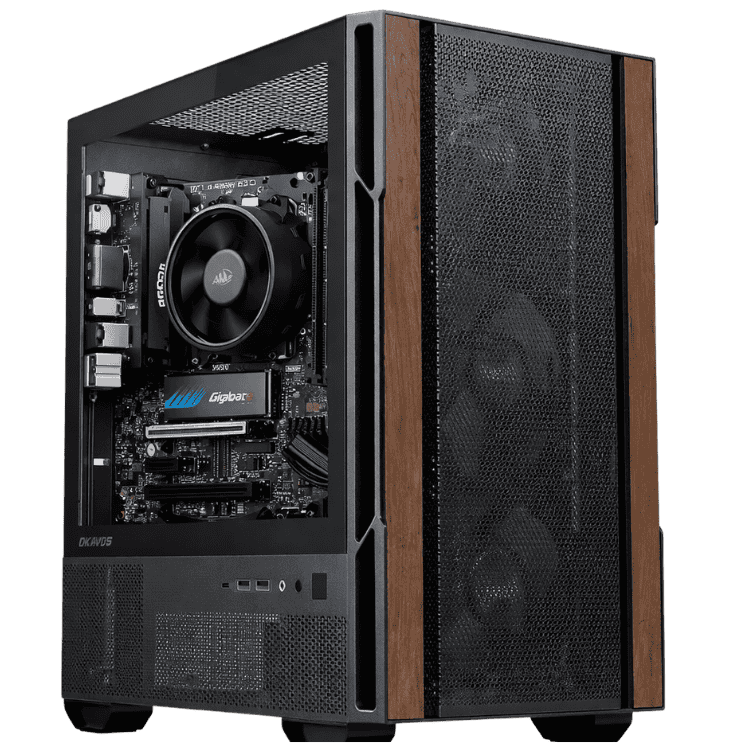
CAA Budget Office PC
- Windows 11 installed
- Email, browser & documents
- Suitable for light Xero/MYOB use
- Affordable small-business desktop
A low-cost accounting computer for invoicing, browser-based accounting software, email, documents and everyday business administration.
View Accounting ComputerAccountants • Bookkeepers • Payroll
Professional Work Computer
- AMD Ryzen 5 5600GT
- 16GB DDR4 memory
- 500GB SSD + Wi-Fi
- Word, Excel, PowerPoint, Outlook & Access included
The recommended accounting computer for businesses that want Windows 11 plus Microsoft Office ready for work from day one.
View Accounting Computer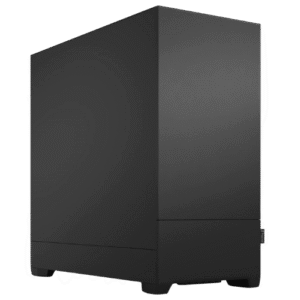
Large Spreadsheets • Heavy Multitasking • Multi-Monitor
CAA Creator Work PC
- Windows 11 installed
- More performance for multitasking
- Suitable for larger Excel workloads
- Stronger platform for professional use
A stronger accounting desktop for users with heavier Excel workloads, many applications open at once and more demanding multi-monitor workflows.
View Accounting ComputerMicrosoft Office included.
The Professional Work Computer is the strongest general accounting recommendation because Windows 11 and Microsoft Office are already included — including Excel and Outlook.
.svg "Accounting Computer Australia 10") WordExcelOutlook
WordExcelOutlook.svg "Accounting Computer Australia 13") PowerPoint
PowerPoint.svg "Accounting Computer Australia 14") AccessWindows 11
AccessWindows 11Buy around the workflow, not gaming specs.
Slow Excel & Large Spreadsheets
Large workbooks, multiple spreadsheets, formulas and heavy browser use can expose weak CPUs and low-memory systems. Choose more performance when Excel is a major part of the working day.
Accounting Software + Multitasking
Xero or MYOB may not be the only application running. Outlook, PDFs, bank portals, browser tabs and documents all compete for system resources at the same time.
Email, PDFs & Browser Tabs
A modern accountant can have dozens of browser tabs, Outlook, PDFs and multiple cloud platforms open throughout the day. RAM and SSD responsiveness matter.
Bookkeeping & Payroll
Bookkeeping and payroll users need reliability for reconciliations, payroll, invoicing, reporting and daily client work — not RGB lighting or unnecessary gaming hardware.
Old Slow Office Computers
Replacing an ageing hard-drive PC with a modern SSD-based desktop can make everyday office work feel dramatically more responsive.

Office Software Setup
The Professional Work Computer already includes Microsoft Office, making it the simplest starting point for accountants who need Excel, Outlook and the rest of the Office suite.
Give the accountant enough screen space.
For many accounting users, improving the monitor setup can be just as useful as buying a more expensive processor.
Single Monitor
Suitable for basic bookkeeping, invoicing, light admin and sole-trader use.
Dual Monitors
A strong choice for most accountants — keep accounting software on one display and Excel, Outlook or source documents on the other.
Triple Monitors
Useful for high-volume client work, payroll, reporting and users who want multiple systems visible simultaneously.
One accountant or an entire practice.
Different staff roles do not always need the same hardware. Reception, bookkeeping, payroll and senior accounting users can be matched to different systems.
Sole Trader
A practical desktop for invoicing, accounting software, email and general business administration.
Accountant + Bookkeeper
Choose stronger multitasking for the accountant while keeping lighter staff on appropriate business PCs.
Small Practice
Ask CAA about multiple systems for reception, payroll, bookkeeping and accounting users.
Different Roles
Match each desktop to its workload rather than buying the same oversized system for every staff member.
Tell us how your accountant works.
Include the accounting software used, spreadsheet workload, monitor count and whether Microsoft Office is required.
- Xero, MYOB, QuickBooks or other accounting software
- Excel workload and spreadsheet size
- Microsoft Office requirements
- One, two or three monitors
- Number of staff / desktops
- Any special storage or networking requirements
Need something outside accounting?
Before you buy an accounting PC.
What is the best computer for accounting?
For most professional accounting users, look for a responsive modern processor, SSD storage, enough RAM for comfortable multitasking and support for the number of monitors required. The Professional Work Computer is the main CAA recommendation because Microsoft Office is included.
What computer should I use for Xero, MYOB or QuickBooks?
A modern Windows desktop with SSD storage and enough memory for browser tabs, email, spreadsheets and PDFs is appropriate for common accounting workflows. The exact hardware should be matched to how heavily the user multitasks.
How much RAM should an accountant have?
16GB is a sensible target for many professional accounting users. Heavier Excel workloads, large datasets or more aggressive multitasking can justify moving higher.
Do accountants need a gaming graphics card?
Usually not. Xero, MYOB, QuickBooks, Excel and ordinary office software do not generally require a high-end dedicated GPU. Dedicated graphics are more relevant when the computer also performs CAD, video editing, 3D or other specialist visual work.
Can CAA supply computers for an accounting practice?
Yes. Use the quote form and tell CAA how many users you have and what each role does so reception, bookkeeping, payroll and accounting staff can be matched to suitable hardware.
Read More: Accounting Computer Australia Buying Guide
Accounting Computer Australia – Choosing the Right PC for Accounting Work
An accounting computer australia setup should make daily finance work faster, more reliable and easier to manage. The right accounting computer australia option depends on the accounting software being used, the size of the spreadsheets involved, how many browser tabs stay open and whether the user runs one, two or three monitors.
For most accountants and bookkeepers, an accounting computer australia build does not need an expensive gaming graphics card. The priority is a responsive processor, enough memory, SSD storage and a stable Windows installation. A good accounting computer australia system should handle email, PDFs, browser tabs, accounting platforms and Microsoft Office without slowing down routine work.
Best Computer for Accounting
The best accounting computer australia choice should match the employee’s real workload. A sole trader using cloud accounting and email may only need a budget desktop, while a professional accountant may keep Excel, Outlook, Xero or MYOB, multiple PDFs and many browser tabs open together. A heavier accounting computer australia configuration becomes more useful when multitasking and large spreadsheets are part of the daily workload.
Microsoft provides information about Windows for organisations on its Windows 11 Pro for business pages. Businesses choosing an accounting computer australia system should also consider the monitor setup, storage requirements and whether Microsoft Office needs to be included.
Computer for Xero
Xero is widely used by Australian businesses and accounting practices. An accounting computer australia system for Xero should comfortably run the browser, email, spreadsheets and supporting documents together. Xero provides information about its accounting platform at Xero Australia.
Because Xero is cloud based, buyers sometimes assume any old computer will be fine. In practice, the accounting computer australia experience can still be affected by slow storage, insufficient memory and too many applications running at once. A responsive desktop helps keep the whole working environment fast rather than focusing only on the accounting application itself.
Computer for MYOB
Businesses using MYOB should choose an accounting computer australia setup that suits the rest of the user’s workload as well as the accounting software. MYOB publishes its Australian business software information at MYOB Australia.
An accountant may have MYOB open alongside Outlook, Excel, browser tabs, PDFs and communication tools. That is why a properly balanced accounting computer australia desktop with adequate RAM and SSD storage can provide a more comfortable working experience than an entry-level machine that is already close to its limits.
Computer for QuickBooks
QuickBooks users have similar requirements. The ideal accounting computer australia system should keep accounting software, email, documents and browser tools responsive together. QuickBooks provides its Australian product information through QuickBooks Australia.
For small-business accounting, the right accounting computer australia system is usually more about smooth multitasking than graphics performance. Buyers should prioritise CPU responsiveness, RAM, SSD storage and monitor support before paying for hardware that accounting software will barely use.
Computer for Excel and Large Spreadsheets
Excel can be one of the most demanding everyday applications in an accounting workflow. An accounting computer australia setup used for large workbooks, formulas, multiple files and heavy browser multitasking benefits from a stronger CPU and enough RAM. Microsoft provides Excel information through its Microsoft Excel pages.
The Professional Work Computer is the main accounting computer australia recommendation on this page because it includes Microsoft Office. Users with heavier Excel workloads or much more aggressive multitasking can move to the stronger Creator Work PC.
Accounting Computer for Dual Monitors
A dual-monitor accounting computer australia setup can improve productivity by keeping different applications visible at once. One screen can hold Xero, MYOB or QuickBooks while another displays Excel, email, source documents or bank portals. For many accountants, two monitors provide a better working setup than spending significantly more money on an unnecessary gaming GPU.
Users who need three displays or more specialised visual applications should make sure the chosen accounting computer australia desktop has the required display outputs. CAA can help match the system and monitor setup before purchase.
How Much RAM Does an Accountant Need?
For a modern accounting computer australia desktop, 16GB of memory is a sensible target for many professional users. It provides more room for Excel, Outlook, browser tabs, accounting software, PDFs and Teams or Zoom to remain open together. A heavier accounting computer australia workload may justify more memory, especially when large datasets or demanding spreadsheets are involved.
Do Accountants Need a Graphics Card?
Most users buying an accounting computer australia desktop do not need a dedicated gaming graphics card. Xero, MYOB, QuickBooks, Excel, Outlook and normal office applications are not primarily GPU-driven workloads. Integrated graphics can be completely appropriate when the monitor requirements are supported.
A dedicated GPU becomes useful if the same accounting computer australia system also needs to handle CAD, video editing, 3D work or other specialised applications. Those users should compare Work Computers Australia rather than overspecifying every accounting desktop.
Accounting Computer with Microsoft Office Included
The Professional Work Computer is particularly useful as an accounting computer australia option because Microsoft Office is included. That gives the user Word, Excel, PowerPoint, Outlook and Access alongside Windows 11, reducing the amount of basic software setup required before the computer is used for work.
Microsoft publishes its broader business productivity information on the Microsoft 365 for business website. Businesses selecting an accounting computer australia system should still confirm which software licences and cloud services they already use.
Accounting Computers for a Small Practice
CAA can supply an accounting computer australia desktop for one accountant or help a practice compare systems for multiple staff. Reception, bookkeeping, payroll and senior accounting users do not always need identical hardware, so choosing systems by role can reduce overspending while still giving power users the performance they need.
Businesses buying several accounting computer australia systems can use the quote form on this page and provide the number of users, required accounting applications, monitor count and Microsoft Office requirements. CAA can then recommend a more appropriate mix of desktops.
Accounting Computer vs General Business Computer
An accounting computer australia page focuses specifically on finance workloads such as Xero, MYOB, QuickBooks, Excel, payroll, reconciliation and reporting. Buyers with broader administration, sales or general office requirements can compare the Business Computer Australia range.
For buyers who need a system configured around a more unusual application, CAA also offers a Custom Computer Builder. The goal is to make sure the accounting computer australia system matches the software and staff role rather than simply choosing the most expensive desktop.
A well-matched accounting computer australia system should support daily accounting work without unnecessary cost.
A well-matched accounting computer australia system should support daily accounting work without unnecessary cost.
A well-matched accounting computer australia system should support daily accounting work without unnecessary cost.
A well-matched accounting computer australia system should support daily accounting work without unnecessary cost.
A well-matched accounting computer australia system should support daily accounting work without unnecessary cost.
A well-matched accounting computer australia system should support daily accounting work without unnecessary cost.
Stop wasting accounting time on slow computers.
Choose a system around Xero, MYOB, QuickBooks, Excel, Outlook and the monitor setup your staff actually use.